Base64 Encoder Decoder Ultimate Guide: Complete Tutorial for Web Developers 2026
Master Base64 encoding and decoding with our comprehensive guide. Learn everything about Base64 format, practical use cases, security considerations, and best practices for web development and data transmission.
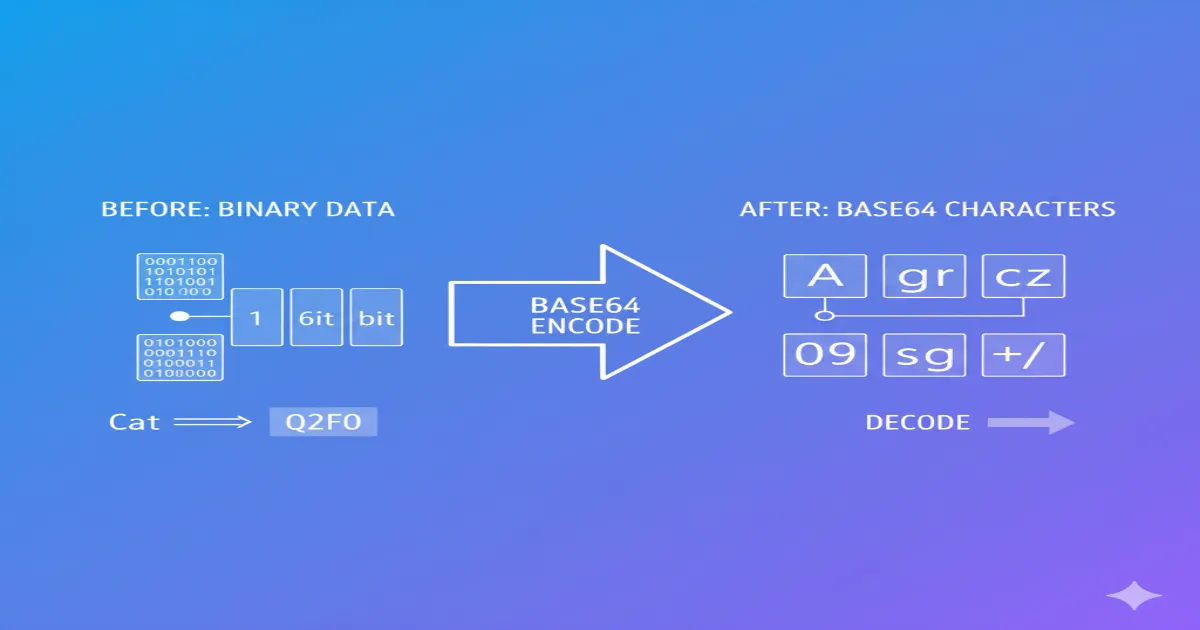
What is Base64 Encoding?
Base64 encoding is a binary-to-text encoding scheme that represents binary data using 64 printable ASCII characters. It's essential for web developers who need to transmit binary data over text-based protocols or embed binary content in text formats. Base64 pairs naturally with JSON when you need to ship binary payloads through text-only APIs — see our JSON Formatter Guide: Format and Validate JSON pillar for the bigger picture, or our JSON Formatting Guide and JSON Validator Complete Guide for sibling techniques.
Our Base64 Encoder/Decoder provides instant, secure encoding and decoding capabilities for all your development needs. Need a more targeted workflow? Try the standalone Base64 Encoder or Base64 Decoder, or use the Base64 Image Encoder to convert images directly. For a deeper dive on image workflows, see our Base64 Images: Free Encoders Guide.
How Base64 Encoding Works
Understanding the Base64 algorithm helps developers make informed decisions about when and how to use it:
Base64 Encoding Process:
- Input Processing: Takes 3 bytes (24 bits) of binary data
- Bit Grouping: Divides into four 6-bit groups
- Character Mapping: Maps each 6-bit group to Base64 character set
- Padding: Adds '=' characters for data alignment if needed
- Output: Produces ASCII text representation
Base64 Character Set
The Base64 alphabet uses 64 characters:
- A-Z: Uppercase letters (indices 0-25)
- a-z: Lowercase letters (indices 26-51)
- 0-9: Digits (indices 52-61)
- + and /: Special characters (indices 62-63)
- =: Padding character
Common Use Cases for Base64 Encoding
Base64 encoding serves many practical purposes in web development and data transmission:
1. Data URLs and Embedded Images
Embed images directly in HTML or CSS without separate file requests. Our Base64 Image Encoder makes this one-click for any image file.
data:image/png;base64,iVBORw0KGgoAAAANSUhEUgAAAAEAAAABCAYAAAAfFcSJAAAADUlEQVR42mNkYPhfDwAChwGA60e6kgAAAABJRU5ErkJggg==
2. API Data Transmission
Send binary files through JSON APIs that only support text data.
3. Email Attachments (MIME)
Email protocols use Base64 to encode binary attachments for transmission.
4. Database Storage
Store binary data in text-only database fields when BLOB support isn't available. Many NoSQL stores and document databases expect JSON-friendly text, so Base64 is the standard way to ship binary content through a JSON Formatter-compatible pipeline.
5. JWTs and Authentication Tokens
JSON Web Tokens (JWTs) use Base64url encoding for the header, payload, and signature sections. Each segment is Base64url-encoded JSON, separated by dots. Inspect tokens safely with our JWT Decoder and review the Advanced JSON Formatter Techniques for Developers guide for end-to-end payload handling.
6. JSON Binary Payloads
When a JSON API must carry binary data (thumbnails, signatures, attachments), encode the bytes as a Base64 string field. This keeps the payload text-only and avoids the encoding pitfalls covered in the JSON Formatting Guide.
Pro Developer Tip
Use Base64 for small images (icons, logos) to reduce HTTP requests, but serve larger images as separate files to avoid bloating your HTML/CSS files.
Base64 in Different Programming Languages
Most programming languages provide built-in Base64 support:
JavaScript
// Encoding
const encoded = btoa("Hello World");
console.log(encoded); // SGVsbG8gV29ybGQ=

// Decoding
const decoded = atob(encoded);
console.log(decoded); // Hello World
Python
import base64

# Encoding
message = "Hello World"
encoded = base64.b64encode(message.encode('utf-8'))
print(encoded.decode('utf-8'))  # SGVsbG8gV29ybGQ=

# Decoding
decoded = base64.b64decode(encoded)
print(decoded.decode('utf-8'))  # Hello World
PHP
// Encoding
$encoded = base64_encode("Hello World");
echo $encoded; // SGVsbG8gV29ybGQ=

// Decoding
$decoded = base64_decode($encoded);
echo $decoded; // Hello World
Java
import java.util.Base64;
import java.nio.charset.StandardCharsets;

// Encoding
String encoded = Base64.getEncoder()
    .encodeToString("Hello World".getBytes(StandardCharsets.UTF_8));
System.out.println(encoded); // SGVsbG8gV29ybGQ=

// Decoding
byte[] decoded = Base64.getDecoder().decode(encoded);
System.out.println(new String(decoded, StandardCharsets.UTF_8)); // Hello World
Security Considerations and Best Practices
Base64 encoding is NOT encryption or security - it's important to understand its limitations:
Critical Security Warning:
- Base64 is NOT encryption: Anyone can easily decode Base64 data
- Never store passwords: Base64 encoded passwords offer zero security
- Not for sensitive data: Use proper encryption for confidential information
- Reversible encoding: Base64 is designed to be easily decoded
When to Use Base64
Appropriate Use Cases:
- Data format conversion (binary to text)
- Embedding small images in CSS/HTML
- API data transmission where binary isn't supported
- Email attachment encoding (MIME standard)
- URL-safe data transmission (with URL-safe variant)
When NOT to Use Base64
- Large file storage (increases size by 33%)
- Security or encryption needs
- When binary transmission is already supported
- Password storage or authentication tokens
Base64 Variants and Alternatives
Different Base64 implementations serve specific use cases:
Standard vs URL-Safe Base64
Character Differences:
- Standard Base64: Uses + and / (can break in URLs)
- URL-Safe Base64: Uses - and _ (safe for URLs and filenames)
- Padding: Standard uses =, URL-safe may omit padding
Other Encoding Methods
- Base32: More human-readable, case-insensitive
- Hex Encoding: Uses 0-9 and A-F characters only
- URL Encoding: Percent-encoding for URL parameters — see our URL Encoder/Decoder Guide and the URL Encoder/Decoder tool, or the focused URL Encoder and URL Decoder
Common Base64 Pitfalls to Avoid
Even experienced developers hit these Base64 pitfalls. Knowing them up front saves hours of debugging.
1. URL-Safe vs Standard Base64
Standard Base64 uses + and / characters that break URLs and filenames. For tokens, query strings, or filenames, switch to the URL-safe variant (- and _) — JWTs use this. The JWT Decoder expects URL-safe input.
2. Padding Handling
Standard Base64 pads output to a multiple of 4 bytes with = characters. Some APIs strip padding; others reject strings without it. Always check the target API's spec before sending.
3. Charset and UTF-8
Base64 encodes bytes, not strings. If your source text isn't UTF-8, encode it explicitly first (e.g. text.encode('utf-8') in Python) or you'll get mojibake. Validate with the JSON Validator Complete Guide workflow before shipping encoded fields in JSON payloads.
4. Treating Base64 as Encryption
Base64 is reversible by anyone. Never use it to obscure credentials or tokens. For secret values, combine a real cipher with the developer tools on NoCostTools.
Performance and Optimization Tips
Optimize Base64 usage for better application performance. Once encoded, pipe the result through the JSON Formatter, validate it with the JSON Validator, minify the whole payload with the JSON Minifier for transport, and pretty-print again with the JSON Beautifier for debugging. The Code Formatter and CSS Minifier round out the production workflow for inline Base64 in CSS.
Performance Best Practices:
- Use Base64 for small files (<10KB) to reduce HTTP requests
- Serve large images as separate files with caching headers
- Consider WebP format before Base64 encoding images
- Use streaming for large Base64 operations
- Implement client-side caching for repeated Base64 operations
- Consider gzip compression for Base64 text content
Frequently Asked Questions
Related Articles
Learn More About Base64 Encoder Decoder Guide
A free online Base64 Encoder Decoder Guide tool.
This tool is designed to be simple, fast, and effective. Whether you are a professional or just need a quick solution, Base64 Encoder Decoder Guide is here to help. We continuously update our tools to ensure accuracy and better user experience.
Related Tools
Base64 Encoder/Decoder
Encode and decode Base64 in your browser with instant validation.
Base64 Encoder
Encode plain text or binary data to Base64 with a single click.
Base64 Decoder
Decode Base64 strings back to readable text or binary downloads.
Base64 Image Encoder
Convert images to Base64 data URLs ready to embed in HTML or CSS.
JWT Decoder
Decode JWT tokens to inspect their Base64url-encoded header and payload.
JSON Formatter
Pretty-print and validate JSON before embedding Base64 string fields.