URL Encoder & Decoder Guide: Percent-Encoding Mechanics (2026)
Most URL-encoding tutorials stop at "spaces become %20". This one covers the actual mechanics: how RFC 3986 splits characters into reserved and unreserved sets, how UTF-8 multi-byte sequences turn into stacked %HH triplets, why + ever meant a space, what gets encoded where in a URL, and the developer gotchas that produce broken links, open redirects, and double-encoded messes. Every encoding example below was verified with python3 before it was pasted in.
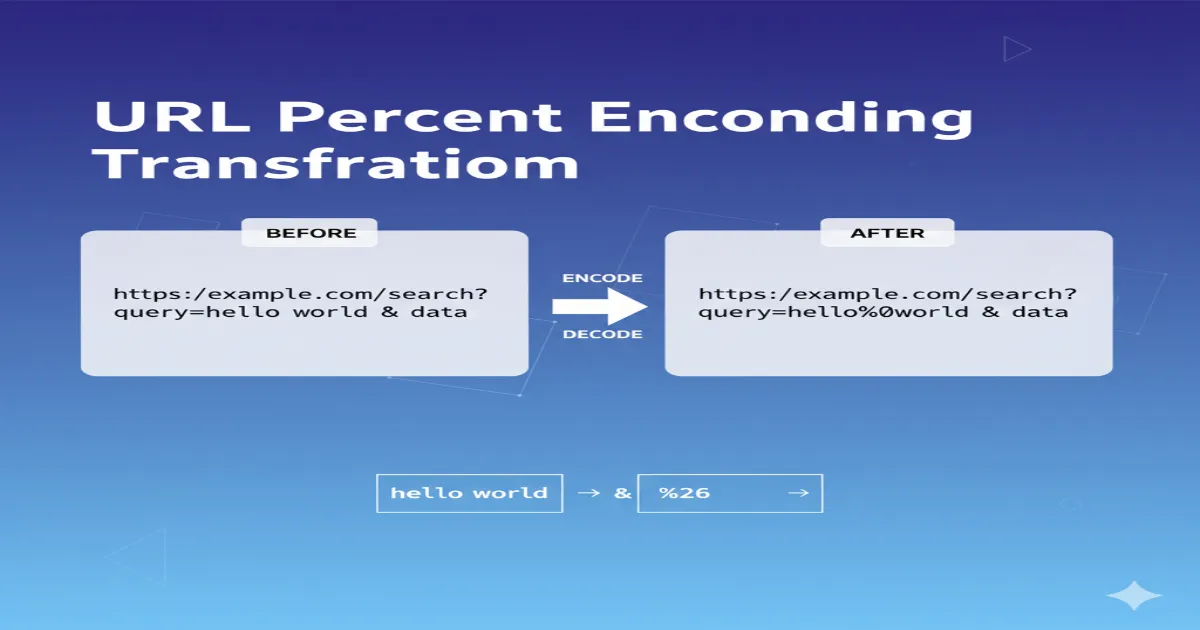
What URL Encoding Actually Is
A URL is a string of characters drawn from a tiny alphabet. RFC 3986 defines a URI as a sequence of characters from the US-ASCII repertoire, with bytes 0–31 and byte 127 (control characters) and byte 32 (the space) outright forbidden, and a handful of reserved ASCII symbols reserved as structural delimiters. Anything outside that alphabet — a space, a literal question mark inside a path segment, a curly quote, an accented letter, an emoji — cannot legally appear in a URL as itself. URL encoding is the escape hatch that lets any character travel inside a URL by writing it as one or more %HH triplets, where HH is the byte value in uppercase hexadecimal.
The reason this scheme exists is mechanical, not aesthetic. HTTP, DNS, and most URI-parsing libraries operate on bytes, and the URI grammar is a 7-bit ASCII grammar. The parser splits a URL on :, /, ?, #, &, =, and a few others; if a user’s data contains any of those characters as data rather than structure, the parser would misread the URL. Percent-encoding lets a value contain any of those characters after the structural split has happened, by escaping them at the byte level before they ever reach the parser.
The encoding is deterministic and reversible. There is exactly one correct percent-encoded form for a given input string under a given safe set, and decoding produces exactly the original bytes. That determinism is why every encoding output shown in this guide can be (and was) machine-verified with python3 using urllib.parse.quote. The free URL Encoder & Decoder on this site runs the same kind of conversion for one-off jobs; this guide explains the rules so you know what the tool is doing under the hood.
from urllib.parse import quote

quote("hello world")     # 'hello%20world'
quote("100% certain")   # '100%25%20certain'
quote("a/b")             # 'a/b'        (/ is in the default safe set)
quote("a/b", safe="")    # 'a%2Fb'      (force / to be encoded)
quote("café")            # 'caf%C3%A9'  (UTF-8 bytes 0xC3 0xA9)
One note before we go further: the term "URL encoding" is the popular name; the spec calls it percent-encoding, and the two are interchangeable. RFC 3986 also distinguishes a URL (with a location, like https://...) from a URN (a name, like urn:isbn:...); both are URIs, and percent-encoding applies to all three. We follow the popular convention and call it URL encoding throughout, with "URI" reserved for spec-level statements.
The Reserved and Unreserved Sets
RFC 3986 splits the ASCII character set into three groups: unreserved characters that may appear in a URL as themselves without being encoded, reserved characters that have structural meaning and must be encoded when used as data, and everything else (control characters, spaces, non-ASCII bytes) which must always be encoded. Knowing exactly which characters fall in each group is what separates a URL that parses correctly from one that silently truncates or misroutes.
Unreserved characters
The unreserved set is small and exactly: A–Z, a–z, 0–9, and the four punctuation marks - . _ ~. These are the only characters that are guaranteed to never need encoding and to never be modified by any conformant URI processor. You can percent-encode them anyway (~ as %7E is legal), and decoders will accept it, but it adds bytes for no benefit; the canonical form is to leave them unencoded.
Reserved characters
The reserved set is split into two subgroups. General delimiters (gen-delims) are the characters that mark the major structure of a URI: : / ? # [ ] @. Sub-delimiters are the characters that mark structure inside a component: ! $ & ' ( ) * + , ; =. The full reserved set is the union of the two.
# RFC 3986 reserved characters (must be encoded when used as data)
gen-delims: : / ? # [ ] @
sub-delims: ! $ & ' ( ) * + , ; =

# RFC 3986 unreserved characters (never need encoding)
unreserved: A-Z a-z 0-9 - . _ ~
The crucial part is what "reserved" means. It does not mean "always encode". It means "this character has a structural role somewhere in a URI, so if you want to use it as data in a context where its structural role would conflict, you must encode it". A literal / in a path segment is a path separator and means "next segment"; if you want a path segment to contain a literal /, you must encode it as %2F. A literal ? introduces the query; if your data contains a question mark you must encode it as %3F. A literal # introduces the fragment; encode it as %23 if your data has a hash. The default Python quote() leaves / unencoded because most uses of quote are on path-shaped input; quote(s, safe="") encodes everything except unreserved characters and is the right call when you are encoding a single component value, not a path-shaped string.
Always-encode characters
Anything not in the unreserved or reserved sets must always be percent-encoded. That includes the space (ASCII 32, encodes to %20), control characters (ASCII 0–31 and 127), the angle brackets < > and double-quote " (excluded from URIs to avoid HTML/XML confusion), the backtick and braces { } and pipe | and caret ^ (excluded from RFC 3986 but tolerated by some implementations, still safer to encode), and every non-ASCII byte. The next section covers what happens with non-ASCII specifically.
Percent-Encoding Rules: UTF-8 to %HH
Percent-encoding for ASCII characters is one byte to one %HH triplet, where HH is the uppercase hex value of the byte. A space (byte 32, hex 20) becomes %20. A literal percent (byte 37, hex 25) becomes %25 — this is the one most beginners miss, and unencoded % in user data is a common cause of decode failures because the decoder reads the next two characters as a hex value. A question mark (byte 63, hex 3F) becomes %3F.
For non-ASCII characters, modern implementations encode the UTF-8 byte sequence, not the code point. UTF-8 represents each Unicode code point as a sequence of one to four bytes: ASCII characters as one byte (same as ASCII), Latin-1-range characters like é as two bytes, characters in the BMP outside Latin-1 as three bytes, and supplementary-plane characters (including most emoji) as four bytes. Each of those bytes gets its own %HH triplet, so a single character can produce two, three, or four percent-sequences in the encoded URL.
from urllib.parse import quote

# Single-byte ASCII percent-encoding
quote(" ")      # '%20'   (space)
quote("%")      # '%25'   (percent itself)
quote("?")      # '%3F'   (reserved, encode when it is data)
quote("&")      # '%26'   (reserved)
quote("=")      # '%3D'   (reserved)

# Two-byte UTF-8 (Latin Extended)
quote("é")      # '%C3%A9'        # U+00E9 -> bytes C3 A9
quote("ñ")      # '%C3%B1'        # U+00F1 -> bytes C3 B1
quote("ü")      # '%C3%BC'        # U+00FC -> bytes C3 BC

# Three-byte UTF-8 (BMP, common CJK)
quote("中")     # '%E4%B8%AD'      # U+4E2D -> bytes E4 B8 AD
quote("文")     # '%E6%96%87'      # U+6587 -> bytes E6 96 87
quote("€")      # '%E2%82%AC'      # U+20AC -> bytes E2 82 AC

# Four-byte UTF-8 (supplementary plane, emoji)
quote("😀")     # '%F0%9F%98%80'   # U+1F600 -> bytes F0 9F 98 80
Hex case matters in theory but not in practice. RFC 3986 specifies uppercase hex (%C3, not %c3); RFC 3987 (IRI) and most implementations accept either, but normalizing to uppercase is the safe default because some legacy systems treat them as different keys when caching or matching URLs. Python’s quote emits uppercase; JavaScript’s encodeURIComponent also emits uppercase. Treat lowercase hex as tolerated, not canonical.
Two historical encodings you may still encounter: %uHHHH sequences (a Microsoft extension that encoded a UTF-16 code unit, never standardized, mostly extinct) and Latin-1 percent-encoding (where each byte of an ISO-8859-1 representation was encoded, producing different output than UTF-8 for any character above U+007F). Both are errors in 2026 code; if you see %u in a URL, you are looking at a legacy system that should be upgraded, and if you see Latin-1 percent-encoding of a character that should be UTF-8, the producer is broken. The HTML Encoder & Decoder and the Base64 Encoder & Decoder follow the same UTF-8-first convention for their respective domains.
Space Encoding History: Why %20 and Why +
The space has two encodings in the wild: %20 (the percent-encoding of byte 32) and + (a one-byte alias from the application/x-www-form-urlencoded media type). The reason there are two is historical, and the reason they cause bugs is that they apply in different contexts but look interchangeable.
When HTML form GET or POST submissions were specified, the browser had to encode a form’s name-value pairs into a single string. The chosen media type, application/x-www-form-urlencoded, defines: encode spaces as +, encode reserved characters as %HH, and join name=value pairs with &. Using + instead of %20 saved one byte per space and was important when forms were tiny and modems were 2400 baud. The convention stuck and is now baked into every browser’s form serializer and into JavaScript’s encodeURIComponent sibling, encodeURI’s cousin escape (deprecated), and many server-side form parsers.
The cost of that legacy is that + means a space only in the form-urlencoded context. In the path component of a URL, + is just a literal plus sign and must not be decoded as a space. A naive decoder that converts every + to a space will silently corrupt any path that legitimately contains a plus — common in URLs that point to C++ source files or to Base64URL tokens that happen to contain +.
from urllib.parse import quote, quote_plus, unquote, unquote_plus

# In a query string parsed as form-urlencoded, + means space
quote_plus("hello world")      # 'hello+world'
unquote_plus("hello+world")    # 'hello world'

# In a path or with a generic decoder, + is literal
quote("hello world")          # 'hello%20world'
unquote("hello+world")        # 'hello+world'   (literal +, NOT a space)

# Path containing a literal plus (e.g. a C++ filename)
quote("c++/main.cpp")         # 'c%2B%2B/main.cpp'
unquote("c%2B%2B/main.cpp")   # 'c++/main.cpp'

# The trap: round-tripping form data with the wrong decoder
unquote("name=John+Doe")      # 'name=John+Doe'    (no +>space conversion)
unquote_plus("name=John+Doe") # 'name=John Doe'    (form-style decode)
Rule of thumb: use + for spaces only when you are producing or consuming application/x-www-form-urlencoded bodies (HTML form POSTs, query-string parameters parsed by a form parser). Use %20 everywhere else, including all path segments and any query-string value that is not being interpreted by a form parser. The default for any general URL encoding job is %20, and you should reach for + only when the consuming endpoint explicitly documents form-urlencoded parsing.
Query String vs Path vs Fragment: What Gets Encoded Where
A URL is a structured string, and the same character can be legal in one component and illegal in another. The reserved set is component-sensitive: ? introduces the query, so a ? in a path must be encoded, but a ? in a query string can be left alone if it is not the first one (parsers treat the first ? as the delimiter and the rest as data). / separates path segments, so a literal / in a single segment must be encoded as %2F, but / in a query value is legal and rarely needs encoding. # introduces the fragment, so a # anywhere before the fragment must be encoded as %23.
Path component
The path is everything between the host (and the optional port) and the first ? or #. Encode reserved general delimiters / ? # [ ] when they appear as data, and always encode spaces, control characters, and non-ASCII. Sub-delimiters like $ & + , are technically allowed in a path as data but encoding them is safer because some proxies and CDNs strip or normalize them unpredictably.
Query string
The query is everything between the first ? and the first # (or end of URL). Inside the query, the parser splits on & for parameter separation and = for key-value assignment. If your parameter’s data contains & or =, they must be encoded. The query is also where +-for-space from form-urlencoded is most likely to apply, because most query strings originate from form submissions.
Fragment
The fragment is everything after the first #. Fragments are client-side only — the server never sees them — but the URL parser still treats # as the delimiter, so any # in fragment data must be encoded as %23. Fragments often hold anchor IDs (no encoding needed for ASCII identifiers) or hash-based routing tokens, where you should encode user-supplied data the same way you would in a path.
from urllib.parse import quote, urlencode

# Path component: encode /, ?, #, and spaces, keep segment separators
quote("café résumé.pdf", safe="/")     # 'caf%C3%A9%20r%C3%A9sum%C3%A9.pdf'
quote("year/2024/q1", safe="/")       # 'year/2024/q1'   (preserved structure)

# Query string parameter value: encode &, =, +, space (as %20)
quote("a & b = c", safe="&=")        # 'a%20%26%20b%20%3D%20c'
quote("val with spaces", safe="&=")  # 'val%20with%20spaces'

# A complete query string built from a dict (form-urlencoded convention)
urlencode({"q": "café résumé", "lang": "fr"})  # 'q=caf%C3%A9+r%C3%A9sum%C3%A9&lang=fr'

# A fragment that holds user data
quote("Section 2: Results", safe="")  # 'Section%202%3A%20Results'
The decision rule is: identify which component you are encoding, then encode against the delimiters of that component. A path encoder that leaves & alone is fine; a query encoder that leaves & alone will break. The same input can need different encodings in different positions, which is why "just URL-encode it" is not enough instruction. Our JSON Formatter and JSON Validator encounter the same problem at a different layer when JSON strings hold URLs as values; the JSON escaping and the URL escaping compose, and getting the order right matters.
Common Developer Gotchas That Break Links
Most real-world broken-link bugs come from a small set of repeated mistakes. Each one has a precise mechanical cause, which means each one has a precise fix.
Gotcha 1: Double encoding
A value is encoded once at the source, then encoded again by a downstream layer that does not know it has already been encoded. 100%25 (correctly encoded "100%") becomes 100%2525 after a second pass through an encoder, and a single decode produces 100%25 instead of 100%. The fix is to encode exactly once at the boundary where untrusted text enters URL-land, and never re-encode strings that are already in encoded form.
from urllib.parse import quote
once = quote("100% sure")   # '100%25%20sure'
twice = quote(once, safe="") # '100%2525%2520sure'  -- broken
Gotcha 2: Encoding after concatenation
You build the URL as a string first ("/search?q=" + user_query) then run the whole thing through encodeURI. The structural delimiters /, ?, = are left intact, but so is any reserved character that arrived in user_query. The fix is to encode each component value before concatenation, using encodeURIComponent, then assemble the URL.
Gotcha 3: + in a path becomes a literal plus
You used + to encode a space inside a path segment (e.g. /files/my+document.pdf). The server stores the file as my+document.pdf, not my document.pdf, and the link 404s. The fix is %20 for path spaces; + is reserved for form-urlencoded bodies.
Gotcha 4: Hash before encoding
User data contains a literal # (e.g. a color value #ff0000) and you concatenate it into a URL without encoding. Everything after the # becomes the fragment and is never sent to the server, so the request appears to succeed but with the wrong path. The fix is to encode # as %23 whenever it appears in path or query data.
Gotcha 5: Mixing encodeURI and encodeURIComponent
You use encodeURI on a single parameter value (so & and = survive into the URL and break the parser) or you use encodeURIComponent on a whole URL (so the structural / and ? get encoded and the URL is no longer a URL). The fix is the rule of thumb in the next section.
Gotcha 6: Decoding before validation
You decode incoming URLs, then run a security check on the decoded value, then pass it to a redirect or a template. An attacker submits %252F%252Fevil.com; your single decode produces %2F%2Fevil.com, which passes a naive // check; a downstream decoder then turns it into //evil.com, an open redirect. The fix is to validate before decoding, or to decode in a loop until stable and then validate, or to refuse to handle URLs that decode to forbidden patterns.
Gotcha 7: Forgetting that decode is not inverse-safe
decodeURIComponent("%E0") (an incomplete UTF-8 byte) throws in strict JavaScript and produces a replacement character in lenient modes; decodeURIComponent("%ZZ") (not hex) also throws. Servers that pass user-controlled encoded strings through decodeURIComponent without a try/catch will 500 on malformed input, which is itself a small denial-of-service vector. The fix is to always decode inside a try/catch and treat a throw as "the input was not a valid encoded string", not as a server error.
encodeURI vs encodeURIComponent
JavaScript provides two encoders, and using the wrong one is the single most common URL bug in front-end code. The difference is what each function leaves unencoded, which determines whether you use it on a whole URL or on a single component value.
encodeURI
encodeURI is designed to encode a complete, already-structured URL while preserving its delimiters. It leaves ;/?:@&=+$,-_.!~*'()# unencoded, plus all ASCII alphanumerics. Use it when you have a URL that mostly looks right but might contain stray non-ASCII or whitespace that needs cleaning up. Never use it on a single parameter value, because any & or = inside that value will survive encoding and break the parser.
encodeURIComponent
encodeURIComponent is designed to encode a single value that will be inserted into a URL. It leaves only -_.!~*'() and ASCII alphanumerics unencoded; it encodes every reserved character including / ? # & =. Use it whenever you are interpolating user data into a URL — a query parameter value, a path segment, a fragment.
// Rule of thumb: one value -> encodeURIComponent; whole URL -> encodeURI

const q = "café & tea = good";

// Wrong: encodeURI leaves & and = alone, breaks the query
encodeURI("/search?q=" + q)            // "/search?q=caf%C3%A9%20&%20tea%20=%20good"
                                       // parser now sees q=caf..., plus stray & and =

// Right: encode the value, then assemble
const url = "/search?q=" + encodeURIComponent(q);
// url -> "/search?q=caf%C3%A9%20%26%20tea%20%3D%20good"

// A path segment that contains a slash as data
encodeURIComponent("a/b")   // "a%2Fb"   -- safe to put in a single segment

// A whole URL with non-ASCII host path
encodeURI("https://例え.jp/path?q=1")   // "https://%E4%BE%8B%E3%81%88.jp/path?q=1"
Python’s equivalents: quote(s, safe="") matches encodeURIComponent’s behavior for the most common cases (it does leave -._~ unencoded and encodes everything else), and quote(s, safe=";/?:@&=+$,-_.!~*'()#") approximates encodeURI. For query strings built from dictionaries, prefer urllib.parse.urlencode with quote_via=quote or quote_via=quote_plus depending on whether you want %20 or + for spaces. The Regex Tester is a useful companion when you need to write a parser that distinguishes encoded from unencoded regions of a URL string.
Decoding and Reversibility
Decoding is the inverse operation: scan the string for % followed by two hex digits, replace each triplet with the byte it represents, and pass the resulting byte sequence to the appropriate character encoding (UTF-8 by default). The reverse of quote is unquote; the reverse of quote_plus is unquote_plus (which also converts + to space); the JavaScript reverse of encodeURIComponent is decodeURIComponent and the reverse of encodeURI is decodeURI.
Decoding is not always a clean inverse. Three failure modes matter:
Incomplete sequences
A percent sign followed by fewer than two characters, or by non-hex characters, is malformed. %E0 alone is an incomplete UTF-8 byte sequence (the start of a three-byte sequence with no continuation). Strict decoders throw, lenient decoders substitute the replacement character U+FFFD, and some old decoders pass the literal %E0 through. Knowing which one your platform does is essential for input validation.
from urllib.parse import unquote

unquote("100%25%20sure")    # '100% sure'
unquote("caf%C3%A9")        # 'café'
unquote("%E4%B8%AD%E6%96%87")  # '中文'
unquote("%ZZ")              # '%ZZ'  (literal pass-through, no exception)
unquote("%E0")              # '\ufffd'  (replacement char, lenient mode)

// JavaScript: strict by default, throws on malformed input
decodeURIComponent("%E0")   // URIError: URI malformed
decodeURIComponent("%ZZ")   // URIError: URI malformed
try { decodeURIComponent(badInput); } catch (e) { /* handle */ }
Ambiguous + handling
unquote in Python does not convert + to space; unquote_plus does. JavaScript’s decodeURIComponent does not convert + to space either; decodeURI also does not. If you are decoding a form-urlencoded body, you need a form-aware decoder (Python’s parse_qs or unquote_plus; JavaScript’s URLSearchParams); if you use the generic decoder, every space that was encoded as + comes back as a literal plus.
Double-decoding and the decode loop
A single decode is not always enough: an attacker may submit %2520 (which decodes to %20) hoping that the first decode reveals an encoded space that a second decode would convert. Security-sensitive code should either decode in a loop until the output stabilizes (and then validate the stabilized form), or refuse to decode more than once and validate the still-encoded form. Never decode and then re-inject the decoded value into a URL without re-encoding it first; that is the open-redirect bug from the gotchas section, in its purest form.
IDNA and Punycode: Encoding the Host
URL encoding handles characters in the path, query, and fragment. The host portion of a URL is handled separately, by a different mechanism called IDNA (Internationalized Domain Names in Applications) and its encoding scheme, Punycode. The two layers compose: percent-encoding never applies to the host; IDNA never applies to the rest of the URL.
IDNA works like this: an international domain like münchen.de is first normalized to Unicode (NFC), then each label is checked for ASCII-only content (passed through unchanged), or encoded via Punycode into an ASCII-safe form prefixed with xn--. The result, xn--mnchen-3ya.de, is what DNS actually resolves. Browsers display the Unicode form to the user in the address bar but send the Punycode form on the wire. A few characters that look identical in different scripts (Latin a vs Cyrillic а, for example) are restricted or flagged by IDNA2008 to reduce homograph attacks; modern browsers refuse to render mixed-script labels as Unicode without warning.
# Python IDNA encoding
"münchen.de".encode("idna")    # b'xn--mnchen-3ya.de'
"日本語.com".encode("idna")     # b'xn--wgv71a119e.com'
"example.com".encode("idna")   # b'example.com'    (already ASCII)

# The encoded form is what DNS resolves
# Browsers display the Unicode form to the user
Three practical implications. First, when you encode a URL with a non-ASCII host in JavaScript, use the URL constructor and let it handle the host conversion; do not try to encodeURIComponent the host. Second, when you compare URLs for equality, normalize through a URL object first — https://münchen.de/ and https://xn--mnchen-3ya.de/ are the same URL, but string equality says they are not. Third, IDNA has version differences (IDNA2003 vs IDNA2008) that affect which characters are valid; modern browsers and Python 3 use IDNA2008 by default, but some legacy libraries still use IDNA2003, and a handful of characters (notably ß and ZWJ sequences in emoji labels) encode differently between the two. If you are building a tool that surfaces domain reputation or authority signals from a URL, the Domain Authority Checker normalizes the host through IDNA before lookup so the underlying number is consistent regardless of which form the user pasted.
Security Implications of URL Encoding
URL encoding is a transport mechanism, not a security control, and treating it as one is the source of three recurring vulnerability classes. None of them is exotic; all of them are avoidable with a small set of disciplined habits.
Open redirect via encoded //
If your application accepts a ?next= parameter and redirects to it after authentication, an attacker can submit next=%2F%2Fevil.com (encoded //evil.com). A naive decoder produces //evil.com, and if your redirect logic treats that as a relative URL, the browser interprets //evil.com as a protocol-relative URL to a foreign host. The fix is to validate the decoded value against an allowlist of permitted paths, or to never redirect to a decoded URL at all — redirect by a server-side key that maps to a fixed destination.
Double-encoding bypass
A filter that blocks ../ path traversal will catch the literal string but miss %2e%2e%2f, which decodes to ../. Worse, a filter that decodes once and then blocks will miss %252e%252e%252f, which decodes once to %2e%2e%2f (still looks safe to a single-pass filter) and again to ../ at the next layer. The fix is the same as the open-redirect fix: either decode in a loop until stable and then validate, or refuse to decode at all and validate the still-encoded form against an allowlist.
Log injection
If you write the raw URL into a log file and a security analyst later greps that log for malicious patterns, an attacker can hide their payload behind percent-encoding. /%61dmin is /admin after decoding, but a grep for /admin in the raw log misses it. Worse, encoded newline sequences (%0a, %0d) can inject fake log lines that look like legitimate entries, hiding the real attack or framing another user. The fix is to decode URLs before logging them for audit, and to escape newlines in the log writer regardless.
The wider topic of safe handling of untrusted input across encodings, parsers, and validation boundaries is covered in the security tools guide; the URL-specific lesson here is that decode is a step with security weight, not a no-op, and the security check belongs on the decoded form, not the encoded form. Tokens that travel in URLs (session IDs, JWT fragments, signed links) add another layer: the token itself must be integrity-protected (a signature or MAC), so that even a successful URL-level tamper is detected at the application layer. The JWT Decoder is useful for inspecting the structure of those tokens during development; never accept a JWT from a URL fragment in production without verifying its signature server-side.
7 URL-Encoding Anti-Patterns (and the Fix for Each)
- Encoding after concatenation. Building the URL as a string first and then encoding the whole thing leaves the structural delimiters intact, but so does any reserved character in user data, which then breaks the parser. Fix: encode each component value before concatenation, with
encodeURIComponent. - Decoding untrusted input blindly.
decodeURIComponentthrows on malformed input; an unhandled throw becomes a 500, which is a small DoS. Fix: wrap decode in try/catch and treat failure as "input was not a valid encoded string", not as a server error. - Using
+for spaces in paths. A path with a+is a literal plus, not a space, and the link 404s. Fix:%20in paths,+only in form-urlencoded query strings. - Encoding the percent sign. Forgetting that
%itself must be encoded as%25produces decode errors wherever user data contains a percentage. Fix: always run user data through an encoder, never concatenate a literal%into a URL. - Re-encoding already-encoded strings. A second pass through an encoder turns
%20into%2520, which decodes once back to%20instead of a space. Fix: encode once at the boundary where untrusted text enters URL-land, and treat any string that arrives already encoded as opaque. - Mixing
encodeURIandencodeURIComponent. UsingencodeURIon a parameter value leaves&and=intact and corrupts the query; usingencodeURIComponenton a whole URL encodes the://and breaks the scheme. Fix: one value,encodeURIComponent; whole URL,encodeURI; if unsure,encodeURIComponentthe parts and concatenate. - Validating the encoded form. A security check on the still-encoded URL misses payloads that decode to forbidden patterns. Fix: decode in a loop until stable, then validate, or validate against the decoded form after the decode is complete and before the value is used.
Every one of these is mechanical: a precise place where the encoder or decoder was called at the wrong time, on the wrong input, or with the wrong safe set. None of them requires a clever framework; they require knowing the rules and applying them at the boundaries. The character-counting and parsing habits in our character counter strategies guide apply here too — the discipline of "what is in this string, exactly, before I pass it on" is the same discipline whether the string is content for a page or a value for a URL.
Choosing the Right Tool for the Job
Once the mechanics are clear, the workflow is short: identify the component you are encoding, pick the encoder that matches the component’s delimiters, encode each value once at the boundary, and decode once at the destination with a decoder that knows whether + means space in that context. For a one-off conversion — paste a string, get its encoded form, paste a URL, see what it decodes to — the URL Encoder & Decoder is the dedicated tool. It runs the same UTF-8-based %HH conversion documented above, in both directions, with no install and no upload.
For related conversions in the same workflow, the cluster of encoders on this site covers the rest of the stack. The HTML Encoder & Decoder handles HTML-entity escaping for the page side; the Base64 Encoder & Decoder handles binary-to-ASCII for tokens and data URIs; the JSON Formatter and JSON Validator handle the structure when URLs are embedded inside JSON values; the Regex Tester handles the parsing layer when you need to extract or validate URL patterns; the JWT Decoder handles the token layer when URLs carry signed tokens in fragments; the UUID Generator handles the identifier layer when URLs need unique keys; and the LLMs.txt Generator handles the documentation layer when URLs need to be catalogued for crawlers. The same UTF-8-first, percent-encode-by-byte convention runs through all of them.
If your URL work is part of a larger content production pipeline — publishing docs, generating sitemaps, building markdown — the HTML to Markdown converter and the Markdown to HTML converter handle the markup round-trip, and the documentation best practices guide covers the editorial discipline that keeps URLs in docs working as the docs evolve. Two adjacent converter hubs are worth knowing: the unit converter tools guide for the encoding conventions specific to unit-bearing URLs (kilograms, liters, Celsius), and the calculator tools guide for the shareable-URL pattern where calculator state travels in the fragment. And while this article stays on URL encoding mechanics, the cluster’s siblings cover the surrounding domains: the cryptocurrency tools guide for the wallet-and-address encoding conventions specific to crypto, the Ethereum gas fee calculator guide for the encoding of hex-prefixed values common in Ethereum tooling, and the BMI calculator health guide for the medical-notation conventions that show up in health-tech URLs. Each sibling uses percent-encoding in specific ways that this article does not duplicate.
Two more tools worth pairing with URL encoding in real workflows: the QR Code Generator, which encodes a URL into a scannable image and only works correctly when the underlying URL is already properly percent-encoded (a stray space or unencoded # truncates the QR’s target); and the Timestamp Converter, which produces the ISO-8601 strings that often ride inside URL parameters and must themselves be URL-safe before concatenation. The Character Counter and Word Counter are useful when you are auditing URL length against browser and CDN limits — most servers cap a single URL at 8,000–14,000 characters, and percent-encoding inflates length by 3× for each non-ASCII byte, so a URL that fits in a QR code (typically under 1,200 characters for reliable scanning) needs that arithmetic checked before it ships.
Frequently Asked Questions
Related Articles
Cryptocurrency Tools Guide
Wallet-and-address encoding conventions for crypto: hex prefixes, checksummed addresses, and how URL encoding fits the wallet deeplink layer.
Ethereum Gas Fee Calculator Guide
Hex-prefixed wei values and the URL conventions for sharing gas calculations across Ethereum tooling.
BMI Calculator & Health Guide
Medical-notation conventions in health-tech URLs and the encoding pitfalls specific to sharing calculated health results.
Regex Testing Guide
Writing parsers that distinguish encoded from unencoded regions of a URL, with worked patterns for query-string extraction.
Documentation Best Practices
Keeping URLs in technical docs working as the docs evolve, including the encoding discipline that prevents link rot.
Calculator Tools Guide
Cross-cluster pillar for the calculator family: how URL-encodable share links carry calculation state in fragment hashes.
Conclusion: Encoding You Can Defend
URL encoding is a small, deterministic mechanism with oversized consequences. The rules fit on a page: unreserved characters travel as themselves, reserved characters travel as %HH when they appear as data, non-ASCII characters become their UTF-8 byte sequence written as one %HH per byte, spaces in form-urlencoded bodies are + and spaces everywhere else are %20, and decoding reverses all of it. The discipline is in applying those rules at the right boundary — encoding once when untrusted text enters URL-land, decoding once where the URL is consumed, validating the decoded form before it is trusted.
The gotchas are not new and they are not exotic; they are the same seven mistakes, recurring because the boundary between "URL structure" and "URL data" is invisible at the byte level. Pick the right encoder for the component, encode at the right time, decode in the right place, and the rest is craft. When you need a quick conversion, the URL Encoder & Decoder runs the exact rules documented above; when you need the wider context, the NoCostTools blog catalogues the rest of the developer-tooling guides.