JSON Formatter Guide: Format & Validate JSON Online 2025
Master JSON formatting and validation with our comprehensive guide for developers, API testing, and data processing
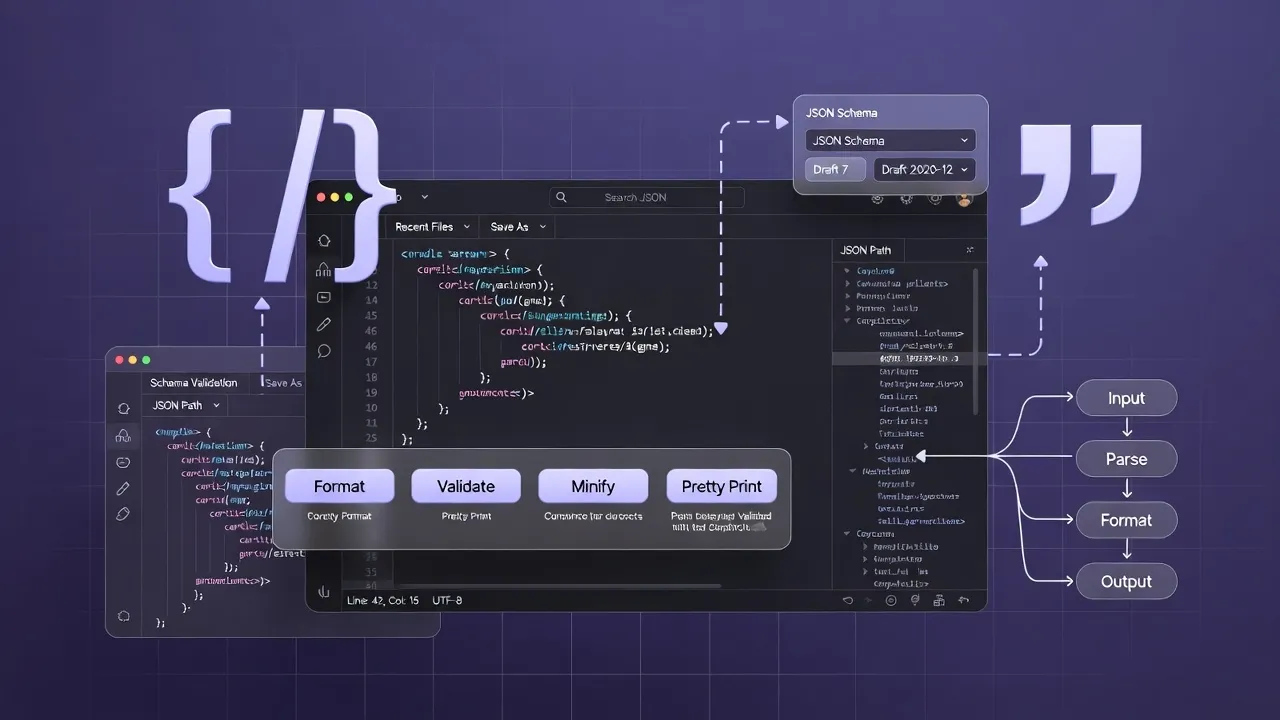
What is JSON and Why Format It?
JSON (JavaScript Object Notation) is a lightweight, text-based data interchange format that's widely used in web development, APIs, and data storage. Proper JSON formatting is crucial for readability, debugging, and maintaining clean code in modern applications.
Our JSON formatter and validator helps you quickly beautify, minify, and validate JSON data with syntax highlighting and error detection.
Understanding JSON Structure
JSON Basics
Key Components:
- Objects: Enclosed in curly braces {}
- Arrays: Enclosed in square brackets []
- Key-Value Pairs: "key": "value"
- Data Types: String, Number, Boolean, null
JSON Rules
Syntax Requirements:
- Keys must be strings in double quotes
- No trailing commas allowed
- No comments permitted
- Escape special characters properly
Example JSON Structure:
{
  "name": "John Doe",
  "age": 30,
  "isActive": true,
  "hobbies": ["reading", "swimming", "coding"],
  "address": {
    "street": "123 Main St",
    "city": "New York",
    "zipCode": "10001"
  },
  "phone": null
}JSON Formatting vs Minification
Best for: Development, debugging, human reading
Features:
- Proper indentation and spacing
- Line breaks for readability
- Syntax highlighting
- Easy to spot errors
{
  "users": [
    {
      "id": 1,
      "name": "Alice"
    },
    {
      "id": 2,
      "name": "Bob"
    }
  ]
}Best for: Production, APIs, data transmission
Benefits:
- Reduced file size
- Faster transmission
- Lower bandwidth usage
- Improved performance
{"users":[{"id":1,"name":"Alice"},{"id":2,"name":"Bob"}]}Using Our JSON Formatter Tool
🛠️ How to Use
- Paste JSON: Copy your JSON into the input area
- Choose Action: Format, minify, or validate
- Process: Click the respective button
- Review: Check formatted output and any errors
- Copy: Copy the result to your clipboard
✨ Features
- Real-time Validation: Instant error detection
- Syntax Highlighting: Color-coded JSON
- Error Reporting: Detailed error messages
- Tree View: Hierarchical data visualization
- Download Options: Save formatted files
Common JSON Validation Errors
❌ Syntax Errors
- Missing Quotes: Keys without double quotes
- Trailing Commas: Extra commas at end
- Single Quotes: Using ' instead of "
- Unescaped Characters: Special chars in strings
❌ Wrong:
{
  name: 'John',
  age: 30,
}
✅ Correct Format
- Double Quotes: Always use " for keys and strings
- No Trailing Commas: Remove extra commas
- Proper Escaping: Use backslashes for special chars
- Valid Data Types: Use null instead of undefined
✅ Right:
{
  "name": "John",
  "age": 30
}
JSON Use Cases and Applications
Web APIs
- REST APIs: Request/response data format
- AJAX Calls: Frontend-backend communication
- Webhooks: Event notifications
- Microservices: Inter-service communication
Data Storage
- NoSQL Databases: MongoDB, CouchDB documents
- Configuration Files: Application settings
- Log Files: Structured logging
- Cache Storage: Redis, Memcached data
Development
- Package Managers: npm, yarn package.json
- Build Tools: Webpack, Vite configurations
- Testing: Test data and mocks
- CI/CD: Pipeline configurations
JSON Best Practices
Professional JSON Guidelines
🎯 Structure
- Use consistent naming conventions (camelCase or snake_case)
- Keep nesting levels reasonable (max 3-4 levels)
- Group related data logically
- Use arrays for collections of similar items
🔒 Security
- Validate all JSON input
- Sanitize data before processing
- Don't include sensitive information
- Use HTTPS for JSON transmission
⚡ Performance
- Minify JSON for production
- Use compression (gzip) for large files
- Avoid deeply nested structures
- Consider using streaming for large datasets
🔧 Maintenance
- Document your JSON schema
- Use version control for JSON configs
- Implement JSON schema validation
- Test JSON with edge cases
Advanced JSON Techniques
🔍 JSON Schema Validation
Define structure and validation rules for your JSON:
{
  "type": "object",
  "properties": {
    "name": {
      "type": "string",
      "minLength": 1
    },
    "age": {
      "type": "integer",
      "minimum": 0
    }
  },
  "required": ["name"]
}
🔄 JSON Transformation
Common transformation tasks:
- JSON to CSV: Flatten for spreadsheets
- JSON to XML: Legacy system integration
- JSON to SQL: Database operations
- JSON Path Queries: Extract specific data
Troubleshooting JSON Issues
| Error Type | Symptoms | Common Causes | Solutions |
|---|---|---|---|
| Parse Error | JSON.parse() fails | Invalid syntax, missing quotes | Use JSON validator, check syntax |
| Unexpected Token | Parsing stops at specific character | Trailing comma, unescaped quotes | Remove trailing commas, escape quotes |
| Invalid Character | Character encoding issues | Non-UTF8 characters, BOM | Convert to UTF-8, remove BOM |
| Circular Reference | JSON.stringify() fails | Object references itself | Use replacer function or JSON.clone |
JSON Tools Comparison
| Feature | JSON Formatter | JSON Validator | JSON Minifier |
|---|---|---|---|
| Formatting | ✓ Beautify | - Basic | ✗ Compress only |
| Validation | ✓ Basic | ✓ Advanced | △ On compress |
| Error Detection | ✓ Line numbers | ✓ Detailed | △ Basic |
| Performance | △ Medium | △ Slower | ✓ Fast |
Conclusion
Mastering JSON formatting and validation is essential for modern web development. Whether you're building APIs, debugging code, or working with data, our comprehensive JSON tools help you maintain clean, valid, and efficient JSON structures.
Related Developer Tools
Frequently Asked Questions
Learn More About Json Formatter Guide Format Validate Json
A free online Json Formatter Guide Format Validate Json tool.
This tool is designed to be simple, fast, and effective. Whether you are a professional or just need a quick solution, Json Formatter Guide Format Validate Json is here to help. We continuously update our tools to ensure accuracy and better user experience.
Related Tools
Password Generator
Generate strong, secure, and random passwords with customizable options.
Salary After Tax Calculator
Estimate your take-home pay after federal, state, and FICA taxes.
CSS Minifier
Minify CSS code to reduce file size and improve load times.
JSON Validator
Validate, format, and fix your JSON data instantly. Check for syntax errors and ensure your JSON is valid.