Password Generator Security Guide: Complete Strong Password Creation Tutorial 2025
Master password security with comprehensive password generation strategies. Learn to create unbreakable passwords, implement cybersecurity best practices, and protect your digital identity with advanced password management techniques and multi-layered security approaches.
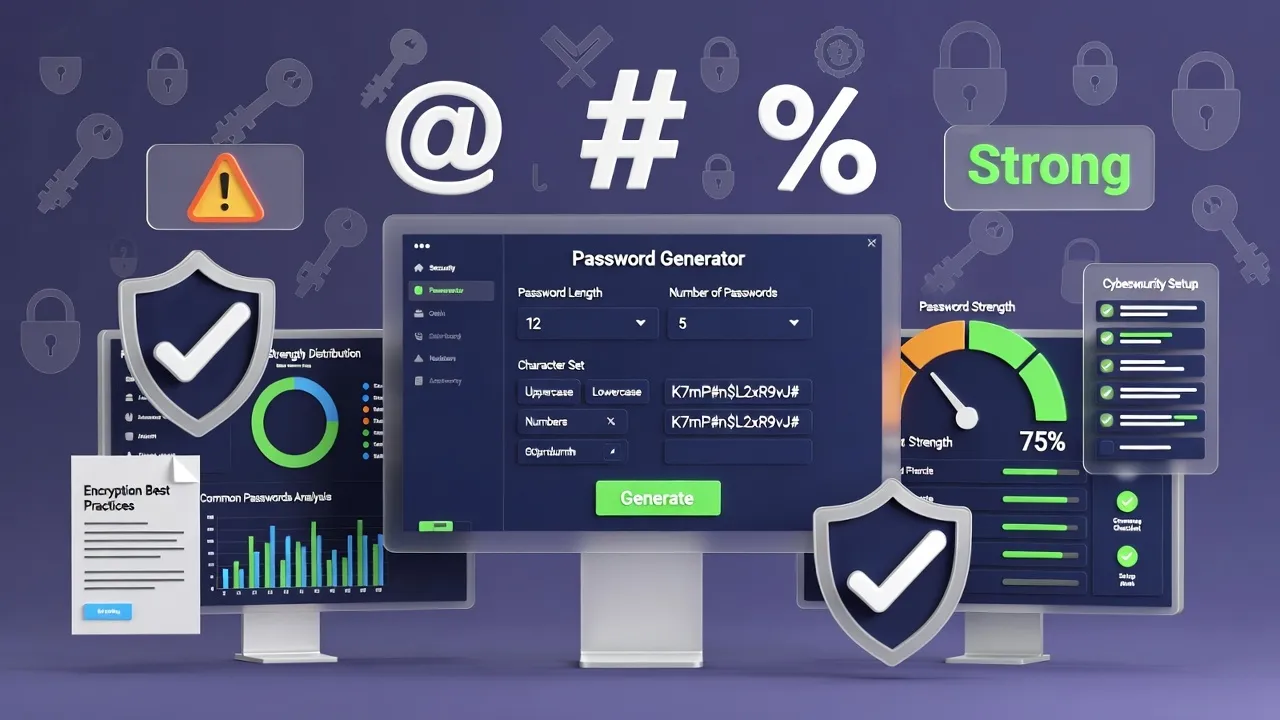
Understanding Password Security in the Digital Age
Password security has evolved from simple protection measures to critical cybersecurity infrastructure. In 2025, with increasing cyber threats and sophisticated attack methods, strong password generation and management have become essential skills for protecting personal and professional digital assets.
Our Password Generator creates cryptographically secure, random passwords with customizable options, ensuring maximum security for all your digital accounts and sensitive information.
Fundamentals of Strong Password Creation
Understanding what constitutes a strong password is crucial for effective digital security:
Essential Strong Password Characteristics:
- Length: Minimum 12 characters, preferably 16+ for high-security accounts
- Complexity: Mix of uppercase, lowercase, numbers, and special characters
- Randomness: No predictable patterns or common word substitutions
- Uniqueness: Different password for every account and service
- Unpredictability: No personal information or dictionary words
- Currency: Regular updates for high-security applications
Password Strength Analysis
| Password Type | Crack Time | Example Pattern | Security Level |
|---|---|---|---|
| Common Password | Instant | password123 | Very Weak |
| Simple Pattern | Minutes | Password1! | Weak |
| Mixed Characters | Years | P@ssw0rd2024 | Moderate |
| Random 12-char | Centuries | X7#mK9$pL3&q | Strong |
| Random 16-char | Millennia | R8@nF5%kW2#vP9$m | Very Strong |
Security Principle: Password strength increases exponentially with length and character set diversity. A 16-character random password is exponentially more secure than a 12-character one.
Modern Password Attack Methods
Understanding current attack techniques helps create passwords that resist contemporary threats:
Common Attack Vectors
Password Attack Methods in 2025:
- Brute Force Attacks: Systematic testing of all possible combinations
- Dictionary Attacks: Common words and phrases from leaked databases
- Credential Stuffing: Reusing leaked passwords across multiple services
- Social Engineering: Manipulating users to reveal passwords
- Phishing Attacks: Fake websites and emails to steal credentials
- Keylogging: Malware recording keystrokes and passwords
- Rainbow Tables: Precomputed hash lookups for common passwords
- AI-Powered Attacks: Machine learning to predict password patterns
Defense Strategy
Comprehensive security = Strong unique passwords + Multi-factor authentication + Password manager + Security awareness + Regular updates = 99.9% protection against common attacks.
Password Generator Types and Features
Different password generation methods offer varying security levels and usability characteristics:
Generation Methods Comparison
| Generation Type | Security Level | Memorability | Best Use Case |
|---|---|---|---|
| Truly Random | Maximum | Impossible | High-security accounts with password managers |
| Pronounceable | High | Moderate | Accounts requiring occasional manual entry |
| Passphrase | High | Good | Master passwords, recovery phrases |
| Pattern-based | Moderate | Good | Personal accounts with lower risk |
Customization Options
Professional password generators offer extensive customization for specific security requirements:
- Character set selection (letters, numbers, symbols)
- Length adjustment (8-128 characters typically)
- Exclusion of ambiguous characters (0, O, l, 1)
- Pattern requirements for compliance standards
- Bulk generation for multiple accounts
- Export formats for password managers
Password Manager Integration and Benefits
Password managers revolutionize password security by eliminating human memory limitations and enabling optimal security practices:
Password Manager Advantages
Core Benefits:
- Unique Passwords: Different strong password for every account
- Auto-Generation: Creates maximum-strength passwords automatically
- Secure Storage: Encrypted vault protects all passwords
- Auto-Fill: Prevents typing passwords on compromised systems
- Breach Monitoring: Alerts when stored passwords are compromised
- Cross-Platform: Access passwords on all devices securely
- Audit Tools: Identifies weak, old, or reused passwords
Popular Password Manager Options
Leading password managers in 2025 offer comprehensive security features:
- 1Password: Business-focused with excellent team features
- Bitwarden: Open-source option with strong security
- LastPass: User-friendly interface with broad device support
- Dashlane: Advanced security features and monitoring
- KeePass: Local storage option for maximum control
Multi-Factor Authentication Implementation
Multi-factor authentication (MFA) provides critical additional security layers beyond passwords:
Authentication Factors
| Factor Type | Examples | Security Level | User Experience |
|---|---|---|---|
| Something You Know | Password, PIN, Security Questions | Basic | Familiar |
| Something You Have | Phone, Hardware Token, Smart Card | High | Convenient |
| Something You Are | Fingerprint, Face ID, Retina Scan | Very High | Seamless |
| Somewhere You Are | GPS Location, IP Address | Moderate | Transparent |
MFA Implementation Best Practices
Optimize multi-factor authentication for maximum security and usability:
- Enable MFA on all critical accounts (email, banking, work)
- Use authenticator apps instead of SMS when possible
- Store backup codes securely in password manager
- Register multiple authentication methods for redundancy
- Regularly review and update MFA settings
Enterprise Password Security Policies
Organizations require comprehensive password policies that balance security with productivity:
Corporate Password Standards
Enterprise Policy Elements:
- Minimum Length: 12-16 characters for business accounts
- Complexity Requirements: All character types mandatory
- Rotation Schedule: 90-day changes for high-privilege accounts
- Password History: Prevent reuse of last 12 passwords
- Account Lockout: Temporary lockout after failed attempts
- Privileged Accounts: Enhanced requirements for admin access
- Training Requirements: Regular security awareness education
Compliance and Regulatory Requirements
Various industries mandate specific password security standards:
- NIST Guidelines: Federal and government standards
- PCI DSS: Payment card industry requirements
- HIPAA: Healthcare data protection standards
- SOX: Financial reporting security requirements
- ISO 27001: International information security standards
Mobile and IoT Device Password Security
Mobile devices and Internet of Things (IoT) devices present unique password challenges and opportunities:
Mobile Security Considerations
| Device Type | Primary Protection | Secondary Protection | Best Practices |
|---|---|---|---|
| Smartphones | Biometric unlock | Strong passcode | Auto-lock, remote wipe capability |
| Tablets | PIN or password | Biometric backup | Encryption, secure app storage |
| Smart Watches | Proximity unlock | PIN code | Automatic lock when removed |
| IoT Devices | Default password change | Network segmentation | Regular firmware updates |
IoT Security Challenges
Internet of Things devices often have weak default security that requires immediate attention:
- Change all default passwords immediately
- Use unique passwords for each IoT device
- Enable automatic security updates when available
- Isolate IoT devices on separate network segments
- Regularly audit connected devices and remove unused ones
Password Security for Different Account Types
Different account categories require varying levels of password security based on potential impact:
Account Classification System
Security Tier Classifications:
- Critical (Tier 1): Banking, email, work accounts, password managers
- Important (Tier 2): Social media, shopping, cloud storage
- Standard (Tier 3): Forums, news sites, non-sensitive services
- Low-Risk (Tier 4): Trial accounts, temporary access, low-value services
Tier-Specific Security Requirements
| Security Tier | Password Length | MFA Required | Update Frequency |
|---|---|---|---|
| Critical (Tier 1) | 16+ characters | Always | Every 90 days |
| Important (Tier 2) | 14+ characters | Recommended | Every 180 days |
| Standard (Tier 3) | 12+ characters | Optional | Annually |
| Low-Risk (Tier 4) | 10+ characters | Not needed | As needed |
Password Security Monitoring and Maintenance
Ongoing password security requires regular monitoring, updating, and threat response:
Security Monitoring Practices
Essential Monitoring Activities:
- Regular password strength audits across all accounts
- Monitoring for data breaches affecting your accounts
- Checking for password reuse and weak passwords
- Reviewing account access logs for suspicious activity
- Updating passwords after security incidents
- Verifying MFA settings remain properly configured
Incident Response Procedures
When security incidents occur, rapid response minimizes potential damage:
- Immediate Action: Change passwords on affected accounts
- Assessment: Determine scope of potential compromise
- Notification: Alert relevant parties (employers, banks, etc.)
- Monitoring: Watch for unusual activity on all accounts
- Prevention: Update security practices to prevent recurrence
Future of Password Security
Password security continues evolving with new technologies and changing threat landscapes:
Emerging Authentication Technologies
Next-generation authentication methods are gradually supplementing traditional passwords:
- Passkeys: FIDO2/WebAuthn standard for passwordless authentication
- Behavioral Biometrics: Typing patterns and usage behavior analysis
- Zero-Trust Architecture: Continuous verification of all access attempts
- Quantum-Resistant Cryptography: Protection against future quantum attacks
- Decentralized Identity: Blockchain-based identity verification
Preparing for Passwordless Future
Related Security Tools and Resources
Enhance your cybersecurity with comprehensive security tools and practices:
Complete Security Tool Suite:
- Password Generator - Strong password creation
- Random String Generator - API keys and tokens
- UUID Generator - Unique identifiers
- MD5 Hash Generator - Data integrity verification
- SHA256 Hash Generator - Secure hashing
- SSL Certificate Checker - Website security verification
Combine multiple security tools for comprehensive digital protection and robust cybersecurity practices across all your online activities and sensitive data.
Conclusion: Building Comprehensive Password Security
Strong password security forms the foundation of digital protection in our interconnected world. By generating robust passwords, implementing multi-factor authentication, using password managers, and maintaining security awareness, individuals and organizations can significantly reduce their vulnerability to cyber threats.
As technology evolves toward passwordless authentication, maintaining current best practices while gradually adopting new security technologies ensures continuous protection of valuable digital assets and sensitive information.
Security Tips
- Use unique passwords for every account
- Enable multi-factor authentication
- Use a password manager
- Generate random 16+ character passwords
- Monitor for data breaches
Password Strength
- Weak: <8 chars, common words
- Moderate: 8-11 chars, mixed
- Strong: 12+ chars, random
- Very Strong: 16+ chars, all types