Base64 Images: When and How to Use Free Encoders
Complete guide to Base64 image encoding, data URLs, performance optimization, and modern implementation strategies for efficient web development
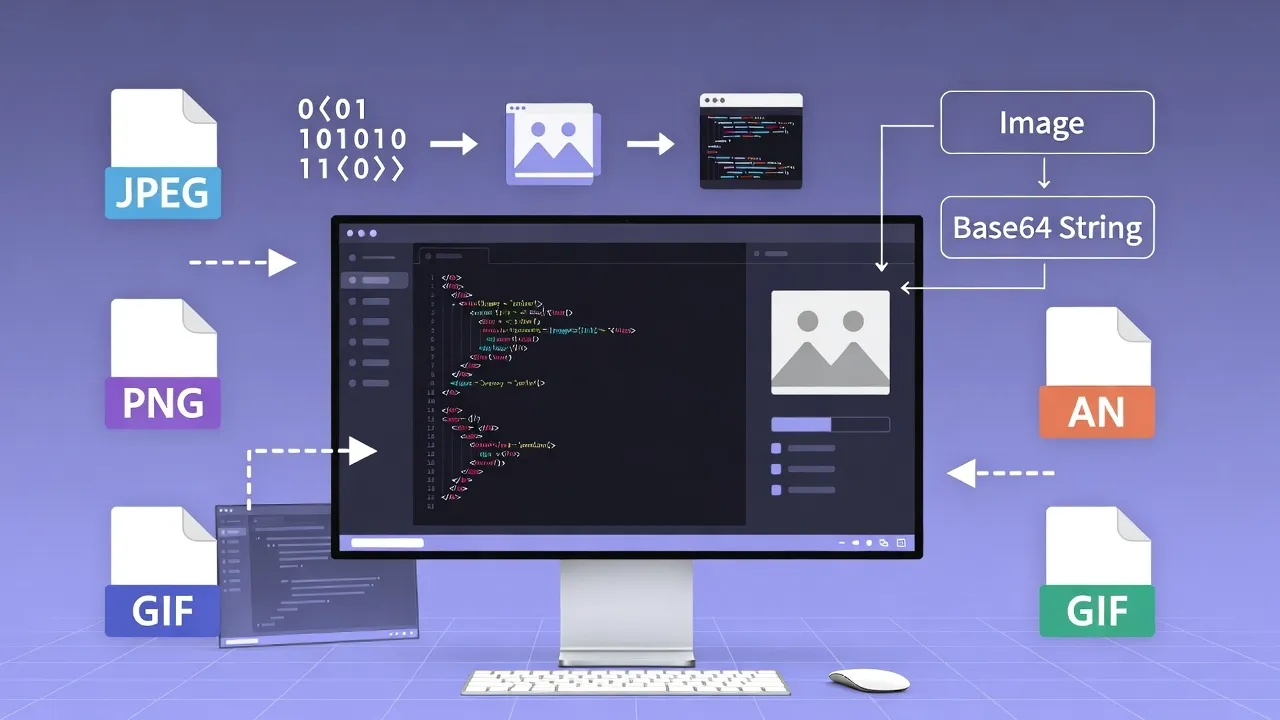
Understanding Base64 Image Encoding in Modern Web Development
Base64 image encoding transforms binary image data into ASCII text strings, enabling inline image embedding directly within HTML, CSS, or JavaScript files. While increasing file size by approximately 33%, Base64 encoding reduces HTTP requests and provides immediate image availability, making it valuable for specific optimization scenarios.
Our advanced Base64 Image Encoder provides intelligent encoding with size optimization, format recommendations, and performance analysis to help you make informed decisions about image embedding strategies.
Base64 Encoding Fundamentals
Base64 encoding converts binary data into a text string using a 64-character alphabet (A-Z, a-z, 0-9, +, /). Each Base64 character represents 6 bits of data, requiring 4 characters to encode every 3 bytes of binary data, resulting in the characteristic 33% size increase.
Base64 Encoding Process
Binary to Base64 Conversion:
Binary Data (24 bits):
011010000110010101101100

Split into 6-bit groups:
011010 | 000110 | 010101 | 101100

Convert to decimal:
26 | 6 | 21 | 44

Map to Base64 characters:
a | G | V | s

Result: "aGVs"
Data URL Structure:
data:[mediatype][;base64],<encoded_data>

Example:
data:image/png;base64,iVBORw0KGgoAAAANSUhE...

Components:
- data: URI scheme
- image/png: MIME type
- base64: encoding type
- encoded data: Base64 string
Generate optimized Base64 data URLs with our Image to Base64 Converter featuring format detection and compression.
Encoding Benefits
- ✅ Reduced HTTP Requests: Inline embedding
- ✅ Immediate Availability: No loading delays
- ✅ Caching with Parent: CSS/HTML caching benefits
- ✅ No External Dependencies: Self-contained
- ✅ HTTPS Compatibility: No mixed content issues
- ✅ CDN Friendly: Part of main resources
Encoding Drawbacks
- ❌ 33% Size Increase: Larger file sizes
- ❌ No Individual Caching: Must reload with parent
- ❌ CSS/HTML Bloat: Reduces readability
- ❌ CPU Processing: Encoding/decoding overhead
- ❌ Memory Usage: Stored in memory as text
- ❌ Limited Browser Support: IE legacy issues
Strategic Implementation Approaches
Effective Base64 implementation requires understanding context-specific strategies for CSS background images, HTML inline images, JavaScript dynamic loading, and email templates. Each implementation method offers unique advantages and optimization opportunities.
CSS Background Implementation:
/* Small icons and sprites */
.icon-home {
  background-image: url(data:image/svg+xml;base64,PHN2ZyB3...);
  background-size: 16px 16px;
  width: 16px;
  height: 16px;
}

/* Gradient patterns */
.texture-pattern {
  background-image: url(data:image/png;base64,iVBORw0KG...);
  background-repeat: repeat;
}
CSS Custom Properties:
/* Dynamic Base64 with CSS variables */
:root {
  --icon-data: url(data:image/svg+xml;base64,PHN2ZyB3...);
}

.dynamic-icon {
  background-image: var(--icon-data);
}

/* Media query optimization */
@media (min-width: 768px) {
  .hero-bg {
    background-image: url(data:image/webp;base64,UklGR...);
  }
}
Ideal for small decorative elements, icons, and patterns under 5KB that enhance critical rendering path performance.
HTML Image Implementation:
<!-- Small logos and icons -->
<img src="data:image/png;base64,iVBORw0KGgoAAAA..."
     alt="Company Logo"
     width="100"
     height="50">

<!-- Placeholder images -->
<img src="data:image/svg+xml;base64,PHN2ZyB3aWR0aD0i..."
     alt="Loading placeholder"
     loading="eager">
Responsive Implementation:
<!-- Responsive Base64 images -->
<picture>
  <source media="(min-width: 768px)"
          srcset="data:image/webp;base64,UklGR...">
  <img src="data:image/png;base64,iVBORw0KGg..."
       alt="Responsive image">
</picture>
Perfect for above-the-fold logos, small graphics, and placeholder images that must load instantly.
Dynamic Image Generation:
// Canvas to Base64
function canvasToDataURL(canvas, format = 'image/png', quality = 0.9) {
  return canvas.toDataURL(format, quality);
}

// File to Base64
function fileToBase64(file) {
  return new Promise((resolve, reject) => {
    const reader = new FileReader();
    reader.onload = () => resolve(reader.result);
    reader.onerror = reject;
    reader.readAsDataURL(file);
  });
}
Image Processing:
// Image resizing before encoding
function resizeImageToBase64(file, maxWidth, maxHeight) {
  return new Promise((resolve) => {
    const canvas = document.createElement('canvas');
    const ctx = canvas.getContext('2d');
    const img = new Image();

    img.onload = () => {
      const scale = Math.min(maxWidth/img.width, maxHeight/img.height);
      canvas.width = img.width * scale;
      canvas.height = img.height * scale;

      ctx.drawImage(img, 0, 0, canvas.width, canvas.height);
      resolve(canvas.toDataURL('image/jpeg', 0.8));
    };

    img.src = URL.createObjectURL(file);
  });
}
Essential for user-generated content, dynamic graphics, and real-time image processing applications.
Performance Optimization Strategies
Base64 performance optimization requires balancing file size, rendering speed, and caching efficiency. Understanding when Base64 improves performance versus when traditional image files provide better optimization is crucial for web performance.
Performance Decision Matrix
| Image Size | Use Base64 When | Avoid Base64 When | Performance Impact | Alternative Strategy |
|---|---|---|---|---|
| < 1KB | Always beneficial | Never avoid | +15-25% performance | Inline embedding |
| 1-5KB | Critical path resources | Non-critical images | +5-15% performance | Conditional inlining |
| 5-10KB | Above-the-fold only | Below-the-fold content | Neutral to +5% | Lazy loading + preload |
| > 10KB | Rarely justified | Most scenarios | -10-30% performance | WebP + CDN + caching |
Analyze your images with our Image Size Optimizer for personalized Base64 recommendations.
Optimization Best Practices
- Pre-optimize Images: Compress before encoding
- Choose Optimal Format: SVG > WebP > JPEG > PNG
- Use Progressive Enhancement: Fallbacks for unsupported formats
- Implement Critical Path: Above-the-fold images only
- Monitor Bundle Size: Track CSS/HTML growth
- Test Performance: Real-world network conditions
Performance Monitoring
// Performance measurement
function measureBase64Impact() {
  const perfStart = performance.now();

  // Load Base64 image
  const img = new Image();
  img.onload = () => {
    const loadTime = performance.now() - perfStart;
    console.log(`Base64 load time: ${loadTime}ms`);
  };

  img.src = 'data:image/png;base64,...';
}
Optimal Use Cases & Applications
Base64 image encoding excels in specific scenarios where immediate availability, reduced HTTP requests, or self-contained resources provide significant advantages. Understanding these optimal use cases ensures effective implementation strategies.
UI Icons & Graphics
- Navigation Icons: Menu, search, user icons
- Status Indicators: Success, error, warning symbols
- Social Media Icons: Platform branding elements
- Decorative Elements: Borders, patterns, textures
Ideal size: Under 2KB each, frequently used across multiple pages.
Email Templates
- Email Headers: Company logos, branding
- Inline Graphics: Buttons, dividers, icons
- Tracking Pixels: Analytics and open tracking
- Signature Graphics: Professional email signatures
Essential for email clients that block external images by default.
Mobile Applications
- App Icons: Interface navigation elements
- Splash Screens: Instant loading graphics
- Offline Content: Cached image resources
- PWA Assets: Progressive Web App graphics
Reduces HTTP requests on slower mobile connections.
Implementation Examples by Industry
E-commerce Applications:
- Product Rating Stars: Small SVG icons for ratings display
- Payment Provider Icons: Credit card and payment logos
- Security Badges: SSL certificates, trust seals
- Loading Placeholders: Skeleton screens and spinners
Developer Tools:
- Code Editor Icons: Syntax highlighting indicators
- Status Indicators: Build success/failure graphics
- Documentation Graphics: Inline diagrams and flowcharts
- Demo Screenshots: Compressed preview images
Content Management:
- WYSIWYG Editor Icons: Formatting toolbar graphics
- File Type Icons: Document format indicators
- User Avatar Placeholders: Default profile images
- Dashboard Widgets: Small chart and graph elements
Marketing Materials:
- Email Newsletter Graphics: Headers and dividers
- Social Media Embeds: Platform-specific icons
- Landing Page Elements: Above-the-fold graphics
- Print-to-Web Graphics: Self-contained marketing assets
Modern Alternatives & Evolution
While Base64 encoding remains valuable for specific use cases, modern web development offers alternative strategies that may provide better performance, maintainability, and user experience. Understanding these alternatives helps make informed architectural decisions.
Modern Image Formats
<!-- Next-gen format with fallbacks -->
<picture>
  <source srcset="image.avif" type="image/avif">
  <source srcset="image.webp" type="image/webp">
  <img src="image.jpg" alt="Optimized image" loading="lazy">
</picture>

<!-- SVG with embedded styles -->
<svg xmlns="http://www.w3.org/2000/svg" viewBox="0 0 24 24">
  <style>.icon{fill:currentColor}</style>
  <path class="icon" d="M12 2l3.09 6.26L22 9.27l-5 4.87 1.18 6.88L12 17.77...">
</svg>
AVIF and WebP provide 25-50% better compression than JPEG while maintaining quality.
HTTP/2 & HTTP/3 Benefits
// Resource hints for optimization
<link rel="preload" href="critical-icon.svg" as="image">
<link rel="prefetch" href="secondary-images.webp">

// Service Worker caching
self.addEventListener('install', event => {
  event.waitUntil(
    caches.open('v1').then(cache => {
      return cache.addAll([
        '/icons/critical-icons.svg',
        '/img/hero-optimized.webp'
      ]);
    })
  );
});
HTTP/2 multiplexing reduces the penalty of multiple requests, making separate files viable again.
Alternative Strategy Comparison
| Strategy | Best For | Performance | Maintainability | Browser Support |
|---|---|---|---|---|
| Base64 Encoding | Small critical images (<5KB) | Excellent | Poor | Universal |
| SVG Inline | Vector graphics, icons | Excellent | Excellent | Modern browsers |
| WebP + Preload | Photographs, complex images | Very Good | Good | Modern browsers |
| Image Sprites | Multiple small images | Good | Fair | Universal |
| CSS Icon Fonts | Interface icons, symbols | Good | Fair | Universal |
Automation & Build Integration
Modern build tools provide automated Base64 encoding integration, enabling intelligent optimization decisions based on file size, usage patterns, and performance budgets. Automation ensures consistent application of encoding strategies across development workflows.
Webpack Configuration
// webpack.config.js
module.exports = {
  module: {
    rules: [
      {
        test: /\.(png|jpe?g|gif|svg)$/i,
        type: 'asset',
        parser: {
          dataUrlCondition: {
            maxSize: 4 * 1024, // 4KB limit
          },
        },
        generator: {
          filename: 'images/[name].[hash][ext]',
        },
      },
    ],
  },
};
Gulp Automation
// gulpfile.js
const gulp = require('gulp');
const base64 = require('gulp-base64');
const cssnano = require('gulp-cssnano');

gulp.task('css', () => {
  return gulp.src('src/css/*.css')
    .pipe(base64({
      maxImageSize: 5 * 1024, // 5KB limit
      debug: true
    }))
    .pipe(cssnano())
    .pipe(gulp.dest('dist/css'));
});
Build Tool Integration Examples
Vite Configuration:
// vite.config.js
export default {
  build: {
    assetsInlineLimit: 4096, // 4KB
    rollupOptions: {
      output: {
        assetFileNames: (assetInfo) => {
          if (assetInfo.name.endsWith('.svg')) {
            return 'icons/[name].[hash][extname]';
          }
          return 'assets/[name].[hash][extname]';
        }
      }
    }
  }
};
PostCSS Plugin:
// postcss.config.js
module.exports = {
  plugins: [
    require('postcss-base64')({
      extensions: ['.png', '.jpg', '.svg'],
      maxSize: 5000, // 5KB
      prepend: 'assets/',
      exclude: /\.no-base64\./
    })
  ]
};
Automate Base64 optimization with our Build Tool Optimizer featuring custom configuration generation.
Base64 Implementation Summary
Base64 image encoding provides valuable optimization for small, critical images that benefit from immediate availability and reduced HTTP requests. Success requires understanding performance trade-offs, optimal use cases, and modern alternatives for comprehensive image optimization strategies.
Optimal Size Threshold
Size Increase
Performance Gain
HTTP Request Saved
Optimize your images with our comprehensive Base64 Optimization Suite.
Frequently Asked Questions
Learn More About Base64 Images Free Encoders Guide
A free online Base64 Images Free Encoders Guide tool.
This tool is designed to be simple, fast, and effective. Whether you are a professional or just need a quick solution, Base64 Images Free Encoders Guide is here to help. We continuously update our tools to ensure accuracy and better user experience.
Encoding Tools
Encoding Impact
HTTP Request
File Size
Performance Gain
Optimal Threshold
Quick Encoding
Convert and optimize your images instantly:
Encode to Base64 Analyze Image Size Convert Format