YouTube Thumbnail Downloader Guide: Legitimate Use, Law & Design Craft (2026)
Most "YouTube thumbnail downloader" pages either hand-wave the copyright question or pretend the tool is a free clipart library. This guide does the opposite. It covers what a thumbnail downloader actually fetches, the legitimate use cases (your own videos, Creative Commons and public-domain content, fair-use review and criticism), the legal and Terms-of-Service line you should not cross, the thumbnail design craft that earns clicks at 1280x720, and the downloader workflow that ties it together.
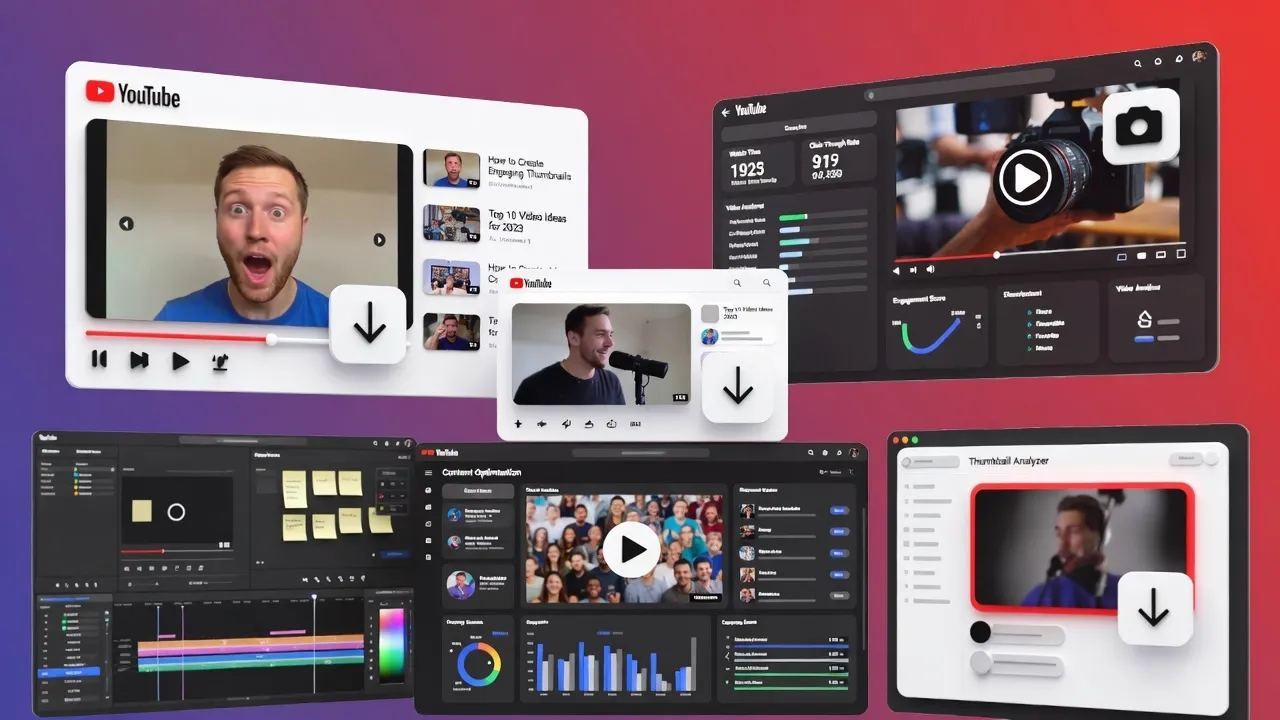
What a YouTube Thumbnail Downloader Actually Is
A YouTube thumbnail downloader is a small utility that takes a YouTube video URL and returns the still image YouTube stores as that video's poster frame. It does not "rip" video, it does not bypass DRM, and it does not access private content. It reads the same public thumbnail URLs that the YouTube player, embeds, search results, and Open Graph cards load every time someone watches or shares a video. The thumbnails live on YouTube's own image CDN, addressed by video ID and size variant, and are publicly cacheable.
What the tool fetches is a small, fixed ladder of size variants. For most videos the ladder runs from maxresdefault at 1280x720 down through sddefault at 640x480, hqdefault at 480x360, mqdefault at 320x180, and default at 120x90. The aspect ratio is 16:9 for everything except the legacy default and mqdefault variants, which are 4:3 with black letterboxing on older content. A downloader simply requests whichever variants exist and lets you save the largest one. If the channel never uploaded a custom thumbnail, or uploaded one smaller than 1280x720, the maxresdefault URL returns a 404 and the downloader falls back to the next available size.
The mechanical part is uninteresting. The interesting part is the question every new user actually has: am I allowed to save this image? That question has three honest answers depending on whose thumbnail it is and what you plan to do with it, and the rest of this guide is built around those three answers. Our YouTube Thumbnail Downloader is the implementation; this guide is the judgment that should come first.
One framing worth keeping in your head: a downloader is a fetch utility, not a license grantor. Saving the file to your disk does not transfer any copyright, it does not make the use fair, and it does not opt you in to any YouTube-creator license. The legal status of the saved copy is identical to the legal status of the image sitting on YouTube's CDN. If you could not lawfully use the image while it lives on YouTube, you cannot lawfully use the local copy either. The tool changes the location of the bytes; it does not change your rights in them.
Legitimate Use Cases for a Thumbnail Downloader
There are three legitimate buckets, and almost every honest use case falls into one of them. Memorize the buckets; they are what keep you on the right side of copyright and YouTube's Terms of Service.
1. Your own videos
If you uploaded the video, you own the thumbnail. Downloading it is just retrieving your own asset, useful when you want to re-edit an old thumbnail, repurpose the still on another platform like a blog post or newsletter hero, run a fresh A/B test, or keep a local archive of your channel's visual history. YouTube Studio lets you download the current thumbnail directly from the Content panel, but a downloader is faster when you need the same file from a batch of URLs at once.
2. Creative Commons and public-domain content
Some creators license their videos under Creative Commons BY, which usually extends to the thumbnail as a derivative of the video. Public-domain footage, government-produced content, and works whose copyright has expired are likewise free to reuse within the license terms. You still need to read the specific license: CC BY requires attribution, CC BY-SA requires share-alike, and CC BY-NC forbids commercial use. The downloader fetches the image; the license tells you what you may do with it. When in doubt, treat the thumbnail as All Rights Reserved unless the channel explicitly says otherwise.
A practical check before you reuse a CC-licensed thumbnail: open the video's About or description panel and confirm the license actually appears there. YouTube shows a Creative Commons attribution line on CC-licensed videos, and the license is part of the video's metadata, not a guess. If the channel says "feel free to use my thumbnails" in a pinned comment but has not changed the video license in Studio, you have a permission claim, not a license, and the channel can revoke that permission at any time. The durable answer is a written license from the rights holder, not a comment-thread handshake. When you need that written license for a commercial project, the legal guide for developers walks through how to draft and store one.
3. Fair-use review, criticism, and commentary
If you are writing a video essay, a thumbnail design critique, a channel retrospective, or a journalism piece that comments on the thumbnail itself, the downloaded image may qualify as fair use because you are commenting on the work, not exploiting it as decoration. Fair use is a four-factor balancing test in US law (purpose, nature, amount, market effect), and similar doctrines exist in other jurisdictions under different names. The safest pattern: use only the thumbnail you need, transform it through commentary, cite the source, and do not use it in a way that substitutes for the original. Our broader copyright protection guide and the legal guide for developers cover fair use in more depth.
Copyright, Terms of Service, and the Line You Should Not Cross
Two legal regimes apply at the same time, and people often confuse them. Copyright is the creator's right in the image itself. YouTube's Terms of Service are the contract between you and YouTube that governs how you may access their platform. A use can be copyright-fine and still ToS-violating, or ToS-permitted and still infringing copyright. You need to clear both.
Copyright on thumbnails
A custom thumbnail is a copyrighted image. The creator (or their employer) holds the exclusive right to copy, distribute, and make derivative works. Reusing someone else's thumbnail as your own is direct copying. Stripping text and recoloring it is a derivative work. Both require permission. The exceptions are the three buckets above and fair use, which is narrow and fact-specific. Damages for willful infringement can be statutory, and DMCA takedowns can remove your upload within hours.
YouTube's Terms of Service
YouTube's ToS prohibits scraping, automated access, and "separating, isolating, or extracting" portions of the service except as permitted by the API. Thumbnail CDN URLs are public in the sense that browsers fetch them to render watch pages, and downloader tools rely on that fact. Whether that makes a given downloader ToS-compliant in your jurisdiction is a question for a lawyer, not a tool guide. The safe posture: use the official API or YouTube Studio for anything you will republish, treat the downloader as a convenience for inspecting thumbnails you already have rights to, and verify the current ToS before you build a workflow around it.
Monetization and the ad-supported angle
If you monetize a page or video that embeds someone else's thumbnail, the "commercial purpose" framing in many fair-use analyses tilts against you. A blog that monetizes a "best thumbnails of the week" roundup without commentary, attribution, or licensing is on much weaker ground than a non-monetized critical essay that quotes one thumbnail to analyze its composition. This is not moralizing; it is how the four-factor test actually weighs. If your use is commercial, get a license or stay in the fair-use review bucket with real commentary.
The Downloader Workflow
Once you have confirmed your use case is legitimate, the workflow is short. The steps below assume you are using our YouTube Thumbnail Downloader, but any honest tool follows the same shape.
# 1. Copy the video URL from the browser address bar or the share button.
#    Either https://youtu.be/VIDEO_ID or https://www.youtube.com/watch?v=VIDEO_ID works.

# 2. Paste it into the downloader input. The tool reads the VIDEO_ID segment.

# 3. Pick the size you want. Default to maxresdefault (1280x720).
#    If that 404s, fall back to sddefault (640x480) or hqdefault (480x360).

# 4. Download the file. It arrives as a .jpg from YouTube's image CDN.

# 5. If you need a different format or dimensions for republishing,
#    run it through the Image Converter and Image Resizer before upload.

# 6. If you will republish the file, record the source URL, the license,
#    and your fair-use rationale in a spreadsheet. Keep the receipts.
The receipt-keeping step is the one most people skip. If you ever get a takedown notice, a client question, or an internal audit, the difference between "I have a folder of thumbnails with no provenance" and "I have a folder with a row per file listing source, license, and use" is the difference between a five-minute reply and a week of archaeology. The same discipline applies to documentation best practices in any creative pipeline.
A simple spreadsheet schema that works for most channels: one row per downloaded asset, with columns for the source video URL, the channel name, the license (Own, CC BY, CC BY-SA, Public Domain, Fair Use with rationale), the date downloaded, the file you saved it as, and where you used it. Five minutes per asset when you download it saves an hour per asset if you are ever asked to justify the use. The schema also doubles as a backup of your visual reference library, which is handy when a channel deletes a video you were studying.
The downloader pairs naturally with the YouTube Tags Extractor when you are auditing your own channel: pull the thumbnails and the tag lists for a set of your videos, line them up, and you have a compact snapshot of how your packaging and discoverability evolved. For broader channel strategy, the sibling social media optimization content strategy guide covers how that snapshot fits into a wider plan.
Thumbnail Design Craft: Earning the Click at 1280x720
The thumbnail is the single biggest lever you control on YouTube short of the title. At 1280x720 it looks generous; in a subscription feed it renders closer to 320x180, and on a phone in a dark room it is smaller still. Designing for the 1280x720 export while testing for the 320x180 reality is the whole craft.
Text legibility at small sizes
Three words, not seven. Large font, not medium. High contrast against the background, not against the average. The test is to scale the thumbnail down to 320 pixels wide in your image editor and squint: if the text disappears, it disappears on the phone too. Anything you write across the thumbnail should pass that squint test, and the words should add information the title does not already carry. Our character counter strategies for content optimization guide covers the same length discipline from the text side.
Focal-point composition
Pick one focal point and put it on a rule-of-thirds intersection or slightly above center. The focal point is usually a face with an expression, the product, or the one object the video is about. Everything else in the frame either points to the focal point or gets out of the way. Backgrounds should be simple enough that the focal point wins; a busy background is a thumbnail that loses to its neighbors in the feed.
Contrast and color
High local contrast between subject and background is what makes a thumbnail pop at small sizes, not saturation. Two or three colors, one of them dominant, is usually enough; rainbow thumbnails fight themselves. If you are pulling a palette together, the color picker ultimate guide covers contrast math and palette construction in depth, and the workflow dovetails with the broader optimizing images for web guide when it is time to export.
Curiosity without clickbait
A good thumbnail raises a question the title answers. A bad thumbnail raises a question the video never answers. The first earns trust and rewatch; the second earns a one-click bounce that hurts your watch-time metrics and trains the algorithm to stop recommending you. The honest version of the same technique is to show a result, a face reacting to the result, and a title that delivers on the promise. That is craft, not clickbait.
The thumbnail session, not the afterthought
Most creators spend ninety seconds picking a thumbnail frame from the timeline and call it done. The channels that consistently win the click spend closer to twenty minutes per video, and the breakdown looks roughly the same each time: five minutes listing the three words the thumbnail must carry, five minutes shooting or scrubbing for the focal-point frame, five minutes building the layout in an image editor, and five minutes exporting at 1280x720, downscaling to 320 pixels wide, and squint-testing. None of those steps is expensive; all of them are skip-able; and skipping any one of them shows up in the click-through rate a week later. Treat the thumbnail as part of the video, not as packaging applied after the video is finished, and the session stops feeling indulgent. The same session discipline applies to writing tight titles, which the character counter strategies guide covers from the text side.
Size and Format Specifications
YouTube Studio's published thumbnail spec is straightforward, but the numbers move occasionally, so verify the current values in Studio before you export a batch. The numbers below are what YouTube documents at the time of writing and what we machine-checked for this guide.
| Spec | Value | Notes |
|---|---|---|
| Recommended resolution | 1280 x 720 px | 16:9 aspect ratio; 1280 x 720 = 921,600 pixels |
| Minimum width | 640 px | Below this, Studio rejects the upload |
| Maximum file size | 2 MB | Compress with our Image Compressor if your export is larger |
| Accepted formats | JPG, PNG, GIF, BMP | WebP is not always accepted; convert first |
| Aspect ratio | 16:9 (1.777...:1) | 1280 / 720 = 1.778; non-16:9 uploads get cropped |
The ladder of variants the downloader fetches, with pixel counts so you can sanity-check what you are getting:
maxresdefault  1280 x 720  = 921,600 px   # the asset you uploaded, when present
sddefault       640 x 480  = 307,200 px   # 4:3 legacy standard definition
hqdefault       480 x 360  = 172,800 px   # 4:3 legacy high quality
mqdefault       320 x 180  =  57,600 px   # 16:9 feed/list view
default         120 x  90  =  10,800 px   # 4:3 tiniest preview
The arithmetic matters because it tells you what to expect: maxresdefault is roughly sixteen times the pixel count of mqdefault (921,600 / 57,600 = 16.0), which is why downloading the largest variant for analysis is non-negotiable, and why the 2 MB upload cap exists — YouTube compresses your upload server-side and the smaller variants are generated from it. If your source is a PNG screenshot over 2 MB, run it through our Image Compressor and Image Resizer before upload; if it is the wrong aspect ratio, use the Image Cropper with a 16:9 preset.
One subtlety worth knowing: the maxresdefault URL returns a 404 for videos where the channel never uploaded a custom 1280x720 thumbnail. Auto-generated thumbnails only exist at hqdefault and below, so a downloader that blindly requests maxresdefault and reports failure is lying to you about what is available. A well-built downloader probes each variant in descending size order and lists whichever ones return a 200, which is the behavior our tool follows. The same probe-then-fallback pattern is how you should design any image pipeline that depends on optional assets, and it shows up again in the optimizing images for web guide under responsive source sets.
A/B Testing Thumbnails
YouTube Studio has a built-in thumbnail test feature that splits impressions between two thumbnails on the same video and reports which one wins on click-through rate. It is the cleanest way to settle a thumbnail argument because it tests on real viewers in your real feed, not on your team's opinions. The feature is gated to channels that meet certain eligibility thresholds, so verify current Studio access before you plan a workflow around it.
Statistical significance is the part most creators get wrong. A test that runs for three days and shows Thumbnail B at 4.1% CTR versus Thumbnail A at 3.9% is not a winner; it is noise. You need enough impressions for the confidence interval to exclude a tie, which usually means letting the test run until each thumbnail has been shown to tens of thousands of unique viewers or until Studio's own significance indicator lights up. The trap is stopping early because the first day looked good.
Test one variable at a time. If you change the focal point, the text, the color, and the expression simultaneously, you will not learn which change moved the metric. Two thumbnails, one changed element, enough impressions, one conclusion. Then iterate. The same discipline shows up in the productivity tools ultimate guide under experiment hygiene, because the failure mode is universal: people test too many things at once and learn nothing.
Thumbnails for Different Content Types
The 1280x720 frame is constant; the conventions inside it vary by genre. Below are the dominant patterns and where each one earns its keep. None of these are rules; they are starting points you calibrate against your own analytics.
Tutorials and how-to
Show the end state, not the starting problem. A thumbnail of a finished dish, a working circuit, or a deployed site promises a result the viewer will reach by the end of the video. A small before-and-after split works, but only if both halves stay legible at 320 pixels wide. Three-word labels like "From zero to deployed" outperform longer phrases.
Vlogs and personality content
The face is the brand. A readable expression — surprise, confusion, delight — carries the thumbnail, and the background is usually a recognizable location that grounds the vlog. Keep text minimal; the personality is the draw, not the headline. Channels that win here shoot thumbnail frames deliberately on the day, not by scrubbing the timeline for a usable frame later.
Reviews and comparisons
Two subjects, one clear visual hierarchy. Put the winner or the underdog slightly larger, keep both products identifiable, and let the title carry the verdict. The thumbnail asks "which one?"; the title answers. Review thumbnails lean on the same focal-point discipline as the meme generator ultimate guide, where two-panel composition is the whole format.
Music and performance
Strong single image, the artist or the cover art, with minimal text. Music thumbnails live next to album art in many surfaces, so a thumbnail that looks like an album cover reads as a music video at a glance. The GIF maker animation guide covers motion-rich variants when a still frame is not enough for a teaser.
Shorts
Shorts thumbnails render even smaller in the feed and are often skipped entirely in favor of the auto-advance preview, so the still needs to survive at 200 pixels wide. Big face, big text, one color. Vertical video does not mean vertical thumbnail; Shorts thumbnails are still 16:9 in Studio even though the video is 9:16.
Brand Consistency Across a Channel
A channel that looks like one channel is easier to subscribe to than a channel that looks like ten different creators sharing a login. Brand consistency in thumbnails is not a logo in the corner; it is a stable visual system that lets a viewer recognize your video in the feed before they read the title. The system has a few parts.
Color: one or two signature colors that appear in every thumbnail, usually in the text or a background panel. Type: one font family, one weight for headlines, used at roughly the same size across thumbnails. Layout: a repeatable grid that puts the focal point in the same region of the frame so regular viewers' eyes learn where to look. Pacing: a new viewer should be able to look at your last twelve thumbnails and see a family, not a sampler.
Consistency is not monotony. You can vary the subject, the expression, and the background while keeping the color, type, and layout system constant, and the thumbnails will still read as one channel. The opposite — same face, different fonts and palettes every week — is what makes a growing channel look like a rotating cast. The sibling social media tools guide walks through the wider toolkit, and the meme generator entertainment guide covers the consistency question from the entertainment side.
A useful exercise: every quarter, lay your last twelve thumbnails out in a four-by-three grid and look at the grid from across the room. If the grid reads as one channel, the system is working. If it reads as a sampler, pick the two thumbnails that look most like your channel's best work, write down the color, type, and layout choices they share, and turn those choices into a one-page style sheet you apply to every new thumbnail. The sheet does not have to be fancy; a single page with the hex codes, the font name and weight, the focal-point grid, and a do-and-don't pair is enough. Channels that skip this step drift; channels that do it once and revisit it every quarter compound. The same compounding logic is why the productivity tools ultimate guide treats style sheets as durable assets rather than one-off documents.
Accessibility and Text in Thumbnails
Thumbnails are images, which means they are invisible to screen readers unless you write alt text, and they are unreadable to low-vision viewers unless the text inside them clears contrast thresholds. Both matter, and the second one also helps the sighted viewers who see your thumbnail at 320 pixels in bright sunlight.
For the alt text on the version you republish (a blog embed, a social post, a newsletter): describe the image in one sentence. "A 1280x720 thumbnail showing a surprised face over a kitchen counter with the text 'First sourdough'." That alt text is what a screen reader speaks, so write it for the ear, not the eye. Our documentation best practices guide covers alt text patterns in more depth.
For text inside the thumbnail itself: WCAG 2.1 AA asks for 4.5:1 contrast for normal text and 3:1 for large text. A bright yellow on white headline fails; the same yellow on a dark panel passes. You do not need to formally test every thumbnail, but a quick check in your image editor's contrast preview or a manual squint at the 320-pixel-wide export catches the worst offenders. The color picker ultimate guide has the contrast math if you want to verify a specific pairing.
Color-blind viewers make up roughly one in twelve men and one in two hundred women, which means a non-trivial slice of your audience reads your thumbnail through a different palette. The classic failure is red-on-green or green-on-red information encoding: a thumbnail that says "good versus bad" with a green check and a red cross may look identical to a red-green color-blind viewer. The fix is redundant encoding: pair the color with a shape, an icon, or a label so the information survives the missing channel. The same lesson shows up in the color picker guide under accessible palettes, and it costs nothing to apply at thumbnail design time.
Common Anti-Patterns: 7 Mistakes to Avoid
These are the mistakes that show up again and again in downloaded thumbnail collections and in the wild. They are worth naming so you can spot them in your own work.
- Reusing other creators' thumbnails. The most common and the most legally exposed. Covered above; the answer is no unless you have a license or a fair-use commentary case.
- Clickbait that the video does not deliver. One-click bounces wreck watch time and train the recommender against you. The thumbnail should raise a question the video answers.
- Illegible text at small sizes. Seven words at 14pt that vanish at 320 pixels wide. Three words at large size is the working maximum.
- Red arrow circles and underlines with nothing in them. Visual noise that signals "I have nothing to show you" to viewers who have learned to read it as a tell.
- Inconsistent branding across a series. Same subject, different font and color every week. Looks like ten channels, loses the subscription flywheel.
- Uploading WebP or oversized PNGs. Studio rejects or compresses them unpredictably. Export JPG at the recommended size, under 2 MB.
- No record of source or license for downloaded thumbnails. When a takedown arrives, no provenance means no quick answer. Keep a row per asset.
Most of these are the same mistakes that haunt the hashtag generator social media guide and the QR code generator ultimate guide: an honest tool made dishonest by overuse, and the fix is the same in every case — use the tool for what it is good at, document your sources, and stay inside the license.
If you want a single diagnostic question for any thumbnail decision, it is this: would you be comfortable explaining this choice to the creator whose work you are building on? If the answer is yes, you are probably on the right side of the line. If the answer is "they would not find out," you are almost certainly on the wrong side, and the question of discovery is separate from the question of permission. Tools like our downloader make the technical step trivial; the judgment about whether to take that step is still yours.
Frequently Asked Questions
Related Articles
Social Media Tools Guide
The cluster hub: every free social media tool on NoCostTools, with the thumbnail downloader in context.
Social Media Optimization Content Strategy
Where thumbnail craft fits in a wider content plan across platforms, schedules, and audiences.
Hashtag Generator Social Media Guide
Discoverability's other half: how tags and hashtags complement your thumbnail packaging.
Meme Generator Entertainment Guide
Two-panel composition, text-on-image legibility, and the same anti-patterns that haunt thumbnails.
Meme Generator Ultimate Guide
The deeper format guide: focal-point composition and the legal line on reused imagery.
QR Code Generator Ultimate Guide
An honest tool that fails when overused; the same discipline that keeps thumbnail use legitimate.
Conclusion: Use the Tool, Keep the Line
A YouTube thumbnail downloader is a small, mechanical utility that fetches a public image URL. The judgment is in what you do with it. Download your own thumbnails to re-edit and repurpose; download Creative Commons and public-domain thumbnails within their license terms; download someone else's thumbnail only for fair-use review or criticism with real commentary on the work itself. Reusing another creator's thumbnail as your own is copyright infringement in nearly every case, and YouTube's Terms of Service add a second layer of rules on top of the copyright question. Verify the current ToS and consult a licensed IP attorney for your specific situation.
On the craft side, design for the 1280x720 export but test at 320 pixels wide: three words of legible text, one focal point on a rule-of-thirds intersection, two or three colors with high local contrast, and a question that the title answers. A/B test one variable at a time with enough impressions for statistical significance, keep your branding consistent across the channel, and write alt text for the versions you republish. When you are ready to put it into practice, open the YouTube Thumbnail Downloader, pair it with the Image Resizer and Image Compressor for export, and read more packaging and discoverability guides on the NoCostTools blog. The site FAQ answers tool questions and the about page covers how the site is funded.