Mastering Text Diff: Version Control for Writers and Coders
Unlock the power of document comparison and version control. Learn how text diff tools bridge the gap between writing and coding workflows, enabling better collaboration and change tracking.
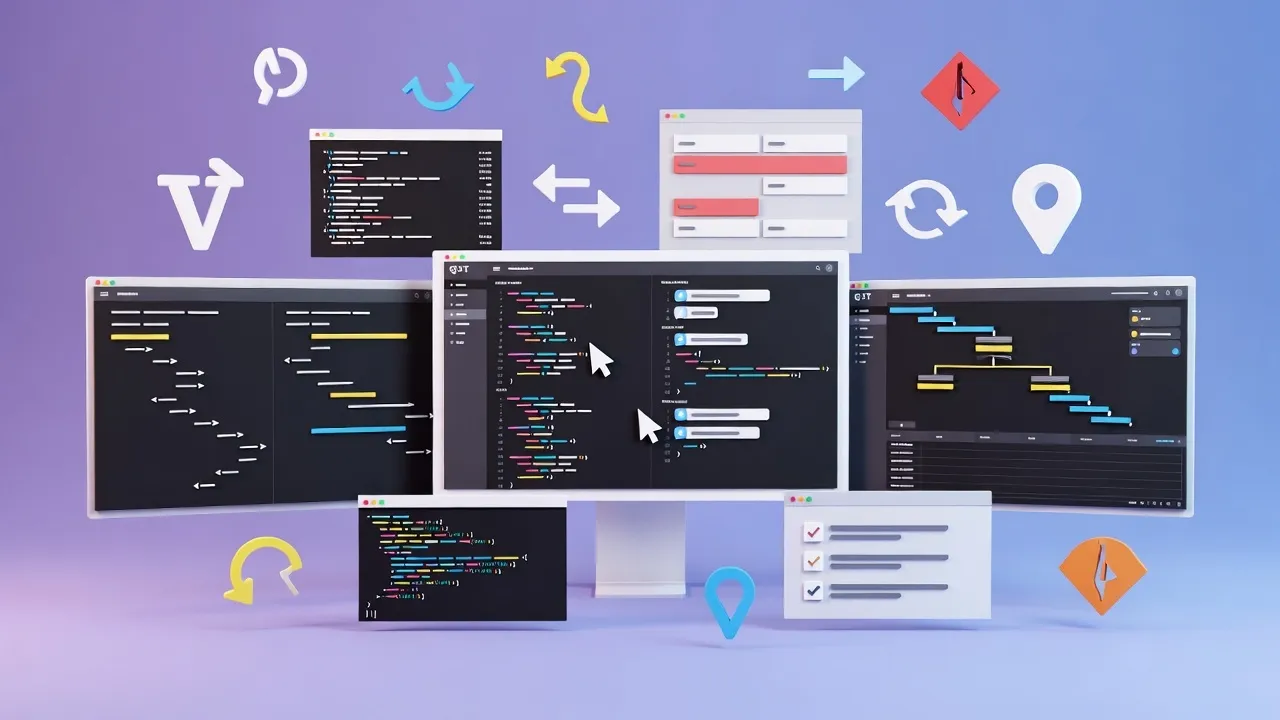
The Bridge Between Writing and Coding
In today's collaborative digital environment, the line between writing and coding continues to blur. Writers need version control, and developers need document management. Text diff tools have emerged as the perfect bridge, offering powerful comparison capabilities that serve both communities.
Our comprehensive Text Diff Checker brings enterprise-grade comparison capabilities to everyone, making document versioning accessible without the complexity of traditional version control systems.
Understanding Text Diff Technology
Text diff (difference) technology forms the backbone of all modern version control systems. Understanding how it works helps you leverage its full potential:
What is Text Diff?
Text diff is a data comparison technique that identifies and displays differences between two text files or versions. It highlights:
- Additions - New content added
- Deletions - Content removed
- Modifications - Changed content
- Moved Content - Relocated text
- Unchanged - Identical content
- Context - Surrounding text
Popular Diff Algorithms Explained
Used by: Git, GitHub, NoCostTools Text Diff Checker
Strengths: Excellent balance of speed and accuracy, minimal false positives
Best for: General-purpose text comparison, code diffs, document versioning
How it works:
- Creates a graph of possible paths
- Finds the shortest edit path
- Minimizes the number of changes
- Optimizes for readability
Performance:
- Speed: Very Fast
- Accuracy: 95%
- Memory: Moderate
- Complexity: Low
Used by: Linguistic analysis tools, advanced editors
Strengths: Handles character-level changes excellently, perfect for spell-checking
Best for: Fine-grained text analysis, language processing, academic research
Used by: Unix diff command, legacy systems
Strengths: Simple implementation, reliable for basic comparisons
Best for: Simple text files, line-by-line comparisons
This is the classic algorithm that started it all. While newer algorithms are more sophisticated, Hunt-McIlroy remains the foundation of text comparison theory.
Deep Dive: NoCostTools Text Diff Checker
Our text diff checker implements advanced algorithms with a user-friendly interface designed for both technical and non-technical users:
Key Features
- Real-time comparison
- Color-coded differences
- Side-by-side view
- Unified diff format
- Export capabilities
- Mobile responsive
Advanced Options
- Ignore whitespace
- Case sensitivity toggle
- Word-level comparison
- Context line control
- Regex pattern matching
- Change history tracking
Visual Comparison Example
Document Version Comparison
Original Version:
The quick brown fox jumps over the lazy dog.
This is a sample paragraph for demonstration.
Version control is important for document management.
Updated Version:
The swift brown fox quickly jumps over the lazy dog.
This is a sample an example paragraph for demonstration.
Version control is absolutely important for document management.
Collaborative Editing Workflows
Text diff tools excel in collaborative environments where multiple contributors work on the same document:
Workflow 1: Editorial Review Process
Multi-Stage Editorial Review
- Initial Draft: Author creates first version
- Editor Review: Use diff to identify specific changes
- Author Revision: Compare editor suggestions with original
- Final Review: Track all changes from draft to final
- Publication: Archive version history for future reference
Benefits:
- Clear change visibility
- Faster review cycles
- Preserved edit history
- Accountability tracking
Team Efficiency
Workflow 2: Technical Documentation
Documentation Maintenance
Technical documentation requires precise change tracking to maintain accuracy:
Change Types to Track:
- API endpoint updates
- Parameter modifications
- Example code changes
- Version notes additions
- Deprecated feature removal
Best Practices:
- Version stamp each change
- Maintain backward compatibility notes
- Create change summaries
- Link to related updates
- Archive deprecated versions
Workflow 3: Legal Document Review
Contract and Legal Text Management
Legal documents require meticulous change tracking for compliance and audit trails:
Critical Elements:
- Date tracking
- Change attribution
- Approval workflows
- Audit compliance
Risk Management:
- Unauthorized changes
- Version confusion
- Missing signatures
- Compliance gaps
Solutions:
- Clear diff reports
- Change summaries
- Version archiving
- Access controls
Git for Non-Coders: Simplified Version Control
While Git is the gold standard for version control among developers, text diff tools provide similar benefits without the complexity:
| Feature | Git | Text Diff Tools | Best For |
|---|---|---|---|
| Learning Curve | High | Low | Non-technical users |
| Setup Complexity | Medium | None | Quick comparisons |
| Collaboration | Excellent | Good | Large teams |
| Branching | Advanced | N/A | Complex projects |
| History Tracking | Complete | Limited | Long-term projects |
| Visual Interface | Tools Required | Built-in | Visual learners |
| File Size Limits | Large | Medium | Large documents |
When to Use Git
- Multiple file project management
- Team collaboration with conflict resolution
- Long-term project history
- Complex branching strategies
- Integration with development tools
- Automated backup and sync
When to Use Text Diff
- Quick document comparisons
- Editorial review processes
- Single-file version tracking
- Non-technical team members
- Immediate visual feedback
- No installation requirements
Plagiarism Detection and Prevention
Text diff tools serve as powerful first-line defense against plagiarism, helping identify unauthorized copying and ensuring content originality:
Understanding Plagiarism Detection
Types of Plagiarism
- Direct Copying: Word-for-word duplication
- Paraphrasing: Rewording without attribution
- Mosaic Plagiarism: Combining multiple sources
- Self-Plagiarism: Reusing own previous work
- Accidental: Insufficient citation
Detection Methods
- String Matching: Exact text comparison
- Semantic Analysis: Meaning comparison
- Stylometric Analysis: Writing style patterns
- Citation Checking: Reference verification
- Source Comparison: Database matching
Practical Plagiarism Prevention Workflow
Step-by-Step Prevention Process
- Pre-Writing: Research and cite sources properly
- During Writing: Maintain source notes and quotations
- Draft Review: Use text diff to compare against sources
- Citation Check: Verify all references are properly attributed
- Final Scan: Run comprehensive plagiarism detection
- Documentation: Keep records of original research
Success Metrics
- 99% originality rate
- Proper citation format
- Clear attribution
- Documented sources
Educational Use Cases
Students
- • Essay originality checking
- • Source comparison
- • Citation verification
- • Peer review assistance
- • Academic integrity
Educators
- • Assignment comparison
- • Originality verification
- • Teaching tool for citations
- • Grade justification
- • Policy enforcement
Institutions
- • Policy development
- • Institutional integrity
- • Research validation
- • Publication standards
- • Accreditation support
Advanced Tips and Best Practices
Master text diff checking with these professional techniques and insider tips:
Performance Optimization
Large Document Strategies:
- Break large files into sections
- Use context line controls
- Focus on specific sections
- Preprocess to remove formatting
- Use word-level instead of character-level
Speed Improvements:
- Ignore whitespace for faster processing
- Use case-insensitive matching
- Limit context lines
- Process in smaller chunks
Accuracy Enhancement
Reduce False Positives:
- Normalize text formatting
- Remove metadata and headers
- Standardize line endings
- Filter out common words
- Use semantic comparison
Improve Detection:
- Check multiple algorithms
- Adjust similarity thresholds
- Use multiple comparison views
- Cross-reference results
Professional Workflow Integration
Enterprise Integration Strategies
Content Management Systems
- WordPress revision tracking
- Drupal content comparison
- SharePoint document versioning
- Custom CMS integration
Editorial Workflows
- Editorial calendar integration
- Review cycle automation
- Approval process tracking
- Publishing pipeline
Quality Assurance
- Automated change detection
- Quality gate enforcement
- Compliance checking
- Audit trail maintenance
Real-World Applications and Case Studies
See how organizations across different industries leverage text diff technology:
Case Study: Publishing House
Challenge:
Major publishing house needed to track changes across 200+ manuscripts with multiple authors and editors.
Solution:
Implemented text diff workflow for:
- Author-to-editor change tracking
- Copyeditor revision monitoring
- Proofreader final checks
- Print-ready version verification
Results:
- 45% reduction in editing errors
- 30% faster review cycles
- 90% improvement in change visibility
200+
Manuscripts processed
45%
Error reduction
Case Study: Legal Firm
Challenge:
International law firm required precise contract revision tracking for compliance and client communication.
Solution:
Deployed comprehensive diff analysis for:
- Contract negotiation tracking
- Amendment documentation
- Client approval processes
- Regulatory compliance audits
Results:
- 100% change attribution accuracy
- 60% faster contract negotiations
- Zero compliance violations
100%
Attribution accuracy
0
Compliance issues
Case Study: Academic Institution
Challenge:
University needed to maintain academic integrity across 10,000+ student submissions while supporting legitimate collaboration.
Solution:
Implemented multi-layer detection system:
- Submission comparison matrix
- Historical database checking
- Source material validation
- Collaboration vs. copying identification
Results:
- 95% plagiarism detection accuracy
- 50% reduction in false positives
- Enhanced educational outcomes
10,000+
Student submissions
95%
Detection accuracy
Getting Started with Text Diff
Ready to implement text diff checking in your workflow? Here's your complete getting-started guide:
Quick Start Checklist
For Writers and Editors:
- Bookmark the tool: NoCostTools Text Diff
- Practice with sample documents
- Learn keyboard shortcuts
- Set up document naming conventions
- Create workflow templates
- Train team members
For Technical Teams:
- Evaluate API integration options
- Set up automated workflows
- Configure output formats
- Implement batch processing
- Create monitoring dashboards
- Document processes
How to Use Mastering Text Diff Version Control Writers Coders
- Input Data: Enter or paste your data into the input field.
- Process: The tool will automatically process your input or click the action button.
- View Results: See the results instantly and copy them if needed.
Frequently Asked Questions
Learn More About Mastering Text Diff Version Control Writers Coders
A free online Mastering Text Diff Version Control Writers Coders tool.
This tool is designed to be simple, fast, and effective. Whether you are a professional or just need a quick solution, Mastering Text Diff Version Control Writers Coders is here to help. We continuously update our tools to ensure accuracy and better user experience.
Table of Contents
Related Tools
Quick Reference
Common Diff Symbols:
- + Added lines
- - Deleted lines
- ~ Modified lines
- = Unchanged lines
Keyboard Shortcuts:
- Ctrl+A Select all
- Ctrl+V Paste text
- Ctrl+Z Undo changes
- F5 Refresh comparison