LLMS.txt Generator: AI Integration for Developers
Comprehensive guide to creating AI-ready documentation that enhances LLM understanding and accelerates development workflows
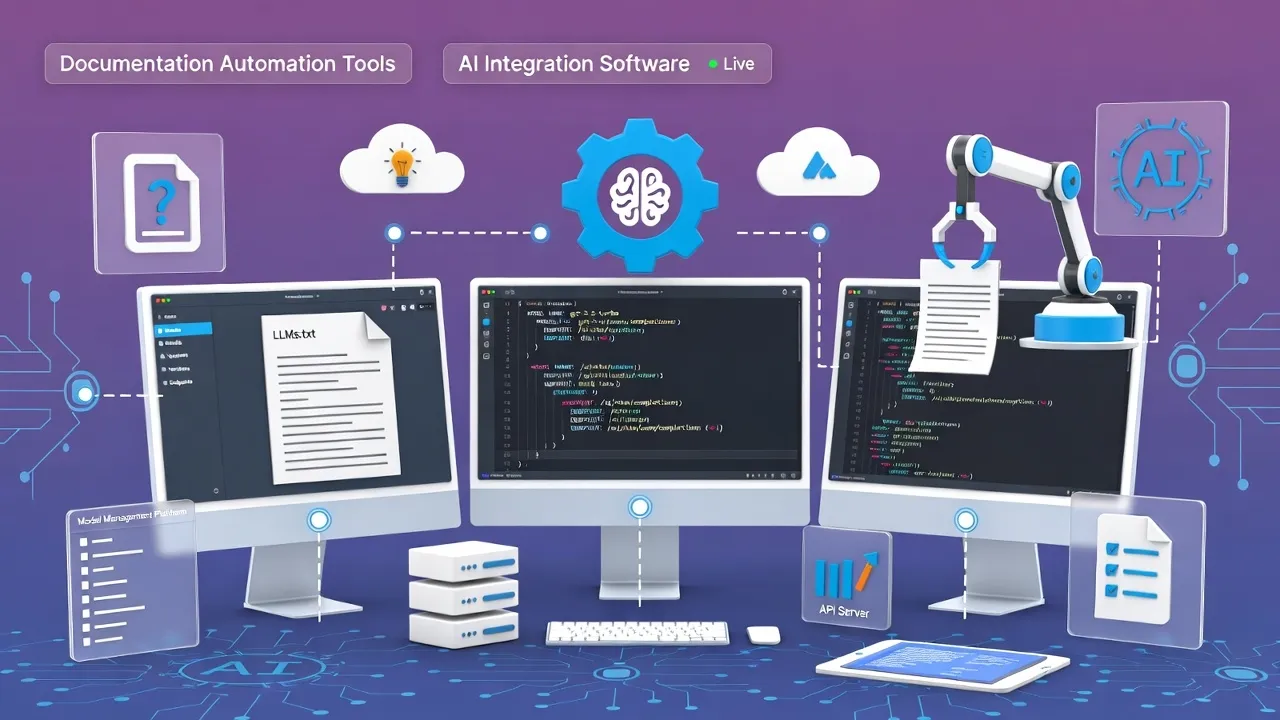
Why LLMS.txt Files Are Essential for Modern Development
As AI-assisted development becomes mainstream, LLMS.txt files serve as crucial bridges between human-readable codebases and Large Language Models. These structured documentation files dramatically improve LLM comprehension, leading to more accurate code suggestions, better debugging assistance, and enhanced development productivity.
Our LLMS.txt Generator automates the creation of comprehensive AI-ready documentation that follows industry best practices and maximizes compatibility with popular LLM platforms.
LLMS.txt Fundamentals: Building AI-Ready Documentation
LLMS.txt files provide structured context that helps Large Language Models understand project architecture, coding patterns, and domain-specific requirements. Proper implementation can transform how AI assistants interact with your codebase.
Core Components of Effective LLMS.txt Files
Essential Structure
- Project Overview: High-level architecture and purpose
- Technology Stack: Languages, frameworks, and tools
- Directory Structure: Organized file and folder hierarchy
- API Documentation: Endpoints, methods, and parameters
- Configuration Files: Environment and deployment settings
LLM Optimization
- Context Hierarchies: Logical information organization
- Code Examples: Representative implementation patterns
- Error Handling: Common issues and solutions
- Testing Patterns: Unit test structures and conventions
- Deployment Workflows: CI/CD processes and configurations
Sample LLMS.txt Structure
# Project: E-Commerce Platform API
# Version: 2.1.0
# Language: Python 3.11 with FastAPI

## Architecture Overview
- RESTful API with microservices architecture
- PostgreSQL database with SQLAlchemy ORM
- Redis for caching and session management
- Docker containerization for deployment

## Directory Structure
/app
  /models - SQLAlchemy database models
  /routers - API endpoint definitions
  /services - Business logic layer
  /utils - Helper functions and utilities
  /tests - Pytest test suites

## Core Patterns
- Dependency injection for database sessions
- Pydantic schemas for request/response validation
- Async/await for non-blocking operations
- JWT authentication with role-based access

## Key Dependencies
- fastapi==0.104.1
- sqlalchemy==2.0.23
- pydantic==2.5.0
- pytest==7.4.3
Use our LLMS.txt Generator to create structured documentation like this automatically from your project files.
Structure Optimization for Maximum AI Understanding
Optimizing LLMS.txt structure ensures Large Language Models can quickly parse and understand your project context, leading to more accurate and contextually appropriate responses.
Hierarchical Information Organization
| Priority Level | Information Type | LLM Impact | Recommended Length |
|---|---|---|---|
| Critical | Project Purpose & Architecture | Context Foundation | 100-200 words |
| High | Tech Stack & Dependencies | Code Generation Accuracy | 150-300 words |
| Medium | API Endpoints & Schemas | Integration Understanding | 200-400 words |
| Standard | Configuration & Environment | Deployment Context | 100-250 words |
Semantic Clarity
- • Clear section headers
- • Consistent terminology
- • Logical flow progression
- • Context-rich descriptions
Token Efficiency
- • Concise but complete
- • Eliminate redundancy
- • Prioritize key information
- • Optimize for context windows
Update Mechanisms
- • Version control integration
- • Automated regeneration
- • Change detection workflows
- • Validation processes
AI Platform Compatibility and Integration
Different AI platforms and LLM providers have varying requirements for optimal performance. Understanding these differences ensures maximum compatibility across the AI development ecosystem.
Platform-Specific Optimizations
GitHub Copilot
Optimization Focus: Function-level context and patterns
- ✓ Detailed function signatures
- ✓ Common usage patterns
- ✓ Variable naming conventions
- ✓ Error handling examples
ChatGPT/Claude
Optimization Focus: Comprehensive project understanding
- ✓ High-level architecture descriptions
- ✓ Business logic explanations
- ✓ Integration workflows
- ✓ Troubleshooting guides
Seamless Codebase Integration Strategies
Effective LLMS.txt integration requires strategic placement within your codebase and automated maintenance workflows that keep documentation synchronized with code changes.
Integration Best Practices
Automated Generation Workflow
# GitHub Actions Workflow Example
name: Generate LLMS.txt
on:
  push:
    branches: [ main, develop ]
  pull_request:
    branches: [ main ]

jobs:
  generate-llms:
    runs-on: ubuntu-latest
    steps:
    - uses: actions/checkout@v4
    - name: Generate LLMS.txt
      run: |
        python scripts/generate_llms_txt.py
        git config --local user.email "action@github.com"
        git config --local user.name "GitHub Action"
        git add llms.txt
        git diff --staged --quiet || git commit -m "Update LLMS.txt"
Repository Structure
- Root Level: Main llms.txt file
- Module Level: Specific llms-[module].txt
- Documentation: docs/llms/ directory
- Generation: scripts/llms-generator.py
Maintenance Triggers
- Code Changes: Automatic regeneration
- Dependency Updates: Stack documentation refresh
- API Modifications: Endpoint documentation sync
- Schema Changes: Model structure updates
Quality Validation
- Structure Validation: Required sections present
- Content Freshness: Timestamp verification
- Cross-References: Link integrity checking
- LLM Testing: AI response quality metrics
Advanced Automation Workflows
Sophisticated automation ensures LLMS.txt files remain accurate, comprehensive, and optimized for AI consumption without manual maintenance overhead.
Multi-Stage Generation Pipeline
| Stage | Process | Tools | Output |
|---|---|---|---|
| 1. Discovery | Code analysis and structure mapping | AST parsers, dependency analyzers | Project structure map |
| 2. Extraction | Documentation and comment mining | docstring parsers, comment extractors | Raw documentation content |
| 3. Processing | Content structuring and optimization | NLP processors, template engines | Structured documentation |
| 4. Validation | Quality checks and LLM testing | Validation rules, AI APIs | Final LLMS.txt file |
Advanced Configuration Example
# llms-config.yaml
generation:
  include_patterns:
    - "**/*.py"
    - "**/*.js"
    - "**/*.ts"
    - "docs/**/*.md"

  exclude_patterns:
    - "node_modules/**"
    - "venv/**"
    - "*.pyc"
    - "build/**"

structure:
  sections:
    - name: "overview"
      priority: 1
      max_tokens: 500
    - name: "architecture"
      priority: 2
      max_tokens: 800
    - name: "api"
      priority: 3
      max_tokens: 1000

optimization:
  target_platforms: ["github-copilot", "chatgpt", "claude"]
  token_limit: 4000
  compression_level: "balanced"
Create powerful automation with our LLMS.txt Generator supporting custom configurations and advanced workflows.
Performance Optimization and Monitoring
Monitoring LLMS.txt effectiveness ensures optimal AI assistant performance and identifies opportunities for continuous improvement in documentation quality.
Key Performance Metrics
Code Accuracy
Response Time
Context Usage
Satisfaction
Long-term Maintenance Strategies
Sustainable LLMS.txt maintenance requires systematic approaches that evolve with your codebase while maintaining AI integration quality over time.
Maintenance Checklist
Weekly Tasks
- Review AI accuracy metrics
- Update dependency changes
- Validate cross-references
- Test LLM response quality
Monthly Tasks
- Comprehensive structure audit
- Performance benchmark review
- Platform compatibility testing
- Developer feedback collection
Advanced LLMS.txt Techniques
Master-level techniques for creating sophisticated LLMS.txt files that maximize AI understanding and enable complex development workflows.
Semantic Enhancement Strategies
Context Layering
- • Multi-level abstraction layers
- • Progressive detail disclosure
- • Context-aware sectioning
- • Hierarchical reference systems
Pattern Recognition
- • Common code patterns documentation
- • Anti-pattern identification
- • Design pattern implementations
- • Best practice consolidation
Dynamic Adaptation
- • AI platform-specific optimization
- • Context window adaptation
- • Performance-based adjustments
- • Usage pattern learning
Conclusion: Maximizing AI Development Efficiency
LLMS.txt files represent a fundamental shift in how developers document and share project knowledge with AI systems. By implementing comprehensive, well-structured LLMS.txt generation workflows, development teams unlock significant productivity gains and improved AI-assisted coding experiences.
Implementation Benefits
- 40-60% improvement in AI code accuracy
- 25% faster development cycles
- Reduced onboarding time for new developers
- Enhanced cross-team collaboration
- Improved code consistency and quality
Next Steps
- Implement LLMS.txt in your current projects
- Set up automated generation workflows
- Monitor AI performance improvements
- Iterate based on usage patterns
- Share best practices with your team
How to Use Llms Txt Generator Ai Integration Developers
- Input Data: Enter or paste your data into the input field.
- Process: The tool will automatically process your input or click the action button.
- View Results: See the results instantly and copy them if needed.
Frequently Asked Questions
Learn More About Llms Txt Generator Ai Integration Developers
A free online Llms Txt Generator Ai Integration Developers tool.
This tool is designed to be simple, fast, and effective. Whether you are a professional or just need a quick solution, Llms Txt Generator Ai Integration Developers is here to help. We continuously update our tools to ensure accuracy and better user experience.
AI Development Tools
AI Integration Impact
Related Articles
- JWT Decoding Security Guide
- Code Minification Best Practices
- Regex Testing Mastery
Stay Updated
Get the latest AI development tools and techniques delivered to your inbox.