Image Compression Techniques for Web Performance 2025
Master advanced image compression strategies to dramatically improve website speed, user experience, and Core Web Vitals scores while maintaining visual quality
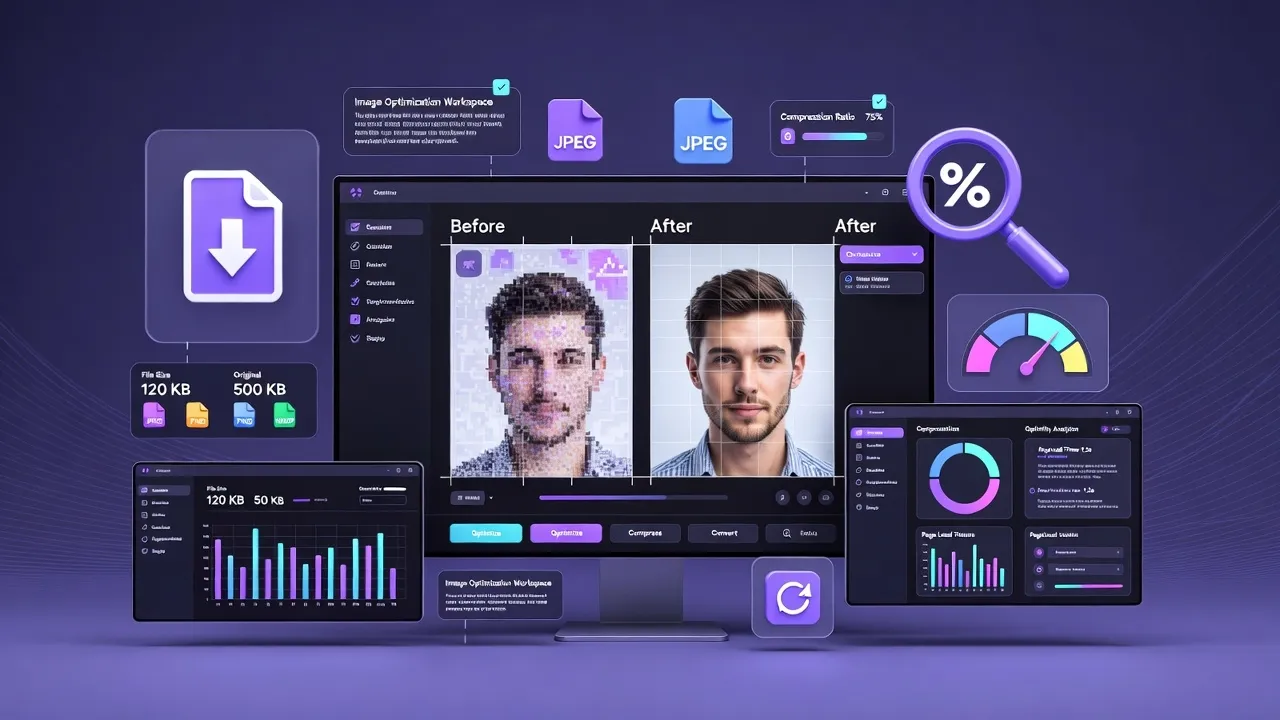
The Critical Role of Image Compression in 2025
Images account for over 60% of web page weight on average, making compression the single most impactful optimization technique for web performance. As Core Web Vitals become increasingly important for SEO rankings, mastering image compression is essential for competitive advantage.
Our comprehensive Image Compressor tool implements cutting-edge compression algorithms to help you achieve optimal file sizes while preserving visual quality across all modern formats.
Image Compression Fundamentals
Understanding the mathematical and technical foundations of image compression enables strategic optimization decisions that balance file size reduction with visual quality preservation.
Core Compression Principles
Data Redundancy
- Spatial Redundancy: Similar adjacent pixels
- Statistical Redundancy: Frequency patterns
- Psychovisual Redundancy: Human perception limits
- Coding Redundancy: Inefficient representation
Perceptual Quality
- Luminance Sensitivity: Brightness changes
- Chrominance Sensitivity: Color variations
- Spatial Frequency: Detail perception
- Masking Effects: Error visibility
Compression Ratio Mathematics
Compression effectiveness is measured using standardized metrics that help compare different techniques and settings.
Key Compression Metrics
Compression Ratio
Original Size ÷ Compressed Size
Higher values = better compression
Space Savings
(1 - Compressed/Original) × 100%
Percentage reduction achieved
Bits Per Pixel
(File Size × 8) ÷ Pixel Count
Compression efficiency metric
Lossy vs Lossless Compression: Strategic Comparison
The choice between lossy and lossless compression significantly impacts both file size and visual quality. Understanding when to use each approach is crucial for optimal results.
Lossy Compression
Principle: Discards data deemed less important for human perception
Advantages:
- Dramatic file size reduction (80-95%)
- Excellent for photographs
- Adjustable quality levels
- Superior web performance
Best Use Cases:
- ✓ Photographs and natural images
- ✓ Background images
- ✓ Social media content
- ✓ Marketing materials
Lossless Compression
Principle: Preserves all original image data perfectly
Advantages:
- Perfect quality preservation
- Reversible compression
- Ideal for precise graphics
- Professional archival quality
Best Use Cases:
- ✓ Logos and vector graphics
- ✓ Screenshots and UI elements
- ✓ Technical diagrams
- ✓ Medical/scientific imagery
Quality vs File Size Trade-offs
Understanding the relationship between compression settings and visual quality helps optimize for specific use cases.
| Quality Level | File Size Reduction | Visual Impact | Recommended Use |
|---|---|---|---|
| High (80-95%) | 30-50% smaller | Minimal artifacts | Hero images, portfolios |
| Medium (60-80%) | 50-70% smaller | Slight artifacts | Blog images, galleries |
| Low (40-60%) | 70-85% smaller | Visible compression | Thumbnails, previews |
| Very Low (<40%) | 85-95% smaller | Significant degradation | Placeholders only |
Advanced Format Selection Strategy
Modern web development requires understanding multiple image formats, each optimized for specific use cases and browser capabilities.
Next-Generation Formats
WebP
- Compression: 25-35% better than JPEG
- Features: Lossy, lossless, transparency
- Browser Support: 96%+ modern browsers
- Best For: Web photos, graphics
AVIF
- Compression: 50%+ better than JPEG
- Features: Superior quality, HDR support
- Browser Support: 85%+ modern browsers
- Best For: High-quality photography
Format Selection Decision Matrix
| Content Type | Primary Format | Fallback Format | Compression Type | Expected Savings |
|---|---|---|---|---|
| Photographs | AVIF | WebP → JPEG | Lossy | 60-80% |
| Graphics/Illustrations | WebP | PNG | Lossless | 40-60% |
| Icons/Logos | SVG | WebP → PNG | Vector/Lossless | 70-90% |
| Screenshots | WebP | PNG | Lossless | 30-50% |
| Animations | WebP | GIF | Lossy | 80-95% |
Compression Algorithm Deep Dive
Understanding the mathematical foundations of compression algorithms enables fine-tuning for specific content types and performance requirements.
JPEG Compression Pipeline
8-Step JPEG Compression Process
- Color Space Conversion
RGB → YCbCr (luminance + chrominance) - Chrominance Subsampling
Reduce color detail (4:2:0, 4:2:2, 4:4:4) - Block Division
Split into 8×8 pixel blocks - Discrete Cosine Transform
Convert to frequency domain
- Quantization
Remove high-frequency components - Zigzag Ordering
Arrange coefficients by frequency - Run-Length Encoding
Compress sequences of zeros - Huffman Encoding
Variable-length binary coding
WebP Compression Innovations
Lossy WebP
- Predictive Coding: Predicts pixel values
- Transform Coding: 4×4 integer transform
- Entropy Coding: Arithmetic coding
- Loop Filtering: Reduces artifacts
Lossless WebP
- Predictive Transform: Green prediction
- Color Transform: RGB correlation
- Subtract Green: Decorrelation
- Palette Transform: Color reduction
AVIF: AV1-Based Compression
AVIF leverages advanced video compression techniques for superior still image compression.
Core Technologies
- AV1 intra-frame compression
- Advanced entropy coding
- Loop restoration filters
- Constrained directional enhancement
Color Features
- Wide color gamut support
- HDR and SDR compatibility
- 10/12-bit color depth
- Multiple chroma subsampling
Performance
- 50%+ smaller than JPEG
- 20%+ smaller than WebP
- Superior quality retention
- Excellent for high-res images
Professional Optimization Workflows
Implementing systematic compression workflows ensures consistent results and optimal performance across all image assets.
Content-Aware Compression Strategy
Image Analysis and Classification
Automated Content Detection
- Edge Density Analysis: Measures detail complexity
- Color Histogram: Identifies color distribution
- Spatial Frequency: Analyzes texture patterns
- Object Recognition: Detects faces, text, graphics
Adaptive Compression Settings
- High Detail: Preserve fine details
- Smooth Gradients: Optimize for color transitions
- Text Content: Maintain readability
- Photographic: Balance quality and size
Multi-Stage Optimization Pipeline
Stage 1: Pre-processing
- ✓ Image validation and format detection
- ✓ Metadata removal (EXIF, IPTC)
- ✓ Color profile optimization
- ✓ Resolution adjustment
- ✓ Orientation correction
Stage 2: Compression
- ✓ Format-specific optimization
- ✓ Quality parameter tuning
- ✓ Algorithm selection
- ✓ Progressive encoding
- ✓ Multi-pass optimization
Stage 3: Validation
- ✓ Quality assessment (SSIM, PSNR)
- ✓ File size verification
- ✓ Compression ratio analysis
- ✓ Browser compatibility testing
- ✓ Performance impact measurement
Responsive Image Optimization
Modern websites require multiple image variants optimized for different screen sizes and connection speeds.
| Breakpoint | Target Width | Quality Setting | Format Priority | Expected Size |
|---|---|---|---|---|
| Mobile (320-768px) | 800px | 75-80% | AVIF → WebP → JPEG | < 50KB |
| Tablet (769-1024px) | 1200px | 80-85% | AVIF → WebP → JPEG | < 100KB |
| Desktop (1025-1440px) | 1600px | 85-90% | AVIF → WebP → JPEG | < 150KB |
| Large (1441px+) | 2400px | 90-95% | AVIF → WebP → JPEG | < 250KB |
Performance Impact Measurement
Quantifying the performance impact of image compression helps justify optimization efforts and guide future improvements.
Core Web Vitals Impact
Largest Contentful Paint (LCP)
Average LCP improvement with proper image compression
Target: < 2.5 secondsFirst Input Delay (FID)
Reduction in main thread blocking from faster image loading
Target: < 100msCumulative Layout Shift (CLS)
Layout shift reduction with properly sized images
Target: < 0.1Business Impact Metrics
Performance-Business Correlation
Conversion Rate Impact
- 1s delay = 7% reduction in conversions
- 100ms improvement = 1% increase in conversion
- Sub-3s load times achieve 32% higher conversion
- Mobile users abandon after 3s (53% bounce rate)
SEO Rankings
- Page speed is a direct ranking factor
- Core Web Vitals affect search rankings
- Faster sites get crawled more frequently
- Mobile page speed impacts mobile search
Measurement Tools and Techniques
Performance Testing Tools
- Google PageSpeed Insights: Core Web Vitals
- GTmetrix: Waterfall analysis
- WebPageTest: Detailed performance metrics
- Chrome DevTools: Real-time analysis
- Lighthouse: Automated auditing
Image-Specific Metrics
- SSIM (Structural Similarity): Quality assessment
- PSNR (Peak Signal-to-Noise): Distortion measurement
- Bytes per pixel: Compression efficiency
- Load time per image: Individual impact
- Compression ratio: Size reduction
Automation and Workflow Integration
Scaling image compression across large websites requires automated solutions that integrate seamlessly with existing development and content management workflows.
CI/CD Pipeline Integration
Automated Compression Workflow
Asset Upload Stage
- Format Detection: Identify image type and characteristics
- Quality Assessment: Analyze current compression state
- Metadata Extraction: Preserve essential information
- Backup Creation: Store original for future reprocessing
Processing Stage
- Multi-format Generation: Create AVIF, WebP, fallback formats
- Responsive Variants: Generate multiple sizes
- Quality Optimization: Apply content-aware compression
- CDN Distribution: Upload to content delivery network
Content Management System Integration
WordPress Optimization
- Automatic compression on upload
- Bulk optimization of existing media
- Responsive image generation
- WebP conversion with fallbacks
- Lazy loading integration
Headless CMS
- API-driven compression workflows
- Real-time image processing
- Dynamic format serving
- Edge-based optimization
- Developer-friendly integration
E-commerce Platforms
- Product image optimization
- Thumbnail generation
- Zoom image compression
- Gallery image processing
- Performance monitoring
Cloud-Based Compression Services
Modern image optimization leverages cloud infrastructure for scalable, intelligent compression.
| Service Type | Features | Best Use Case | Scalability |
|---|---|---|---|
| CDN-Based Optimization | Real-time processing, device detection, format serving | High-traffic websites | Global scale |
| API-Driven Services | Programmatic control, batch processing, custom workflows | Developer-centric applications | Enterprise ready |
| Serverless Functions | Event-triggered processing, cost-effective, auto-scaling | Variable workloads | Pay-per-use |
Advanced Optimization Techniques
Professional image optimization goes beyond basic compression, implementing sophisticated techniques for maximum performance gains.
Perceptual Optimization
Human Visual System Considerations
Luminance vs Chrominance
Human eyes are more sensitive to brightness changes than color variations, allowing aggressive chrominance compression.
- 4:2:0 subsampling: 50% color data reduction
- Luminance preservation: Maintain edge sharpness
- Color smoothing: Reduce color noise
Spatial Frequency Masking
High-frequency details mask compression artifacts, enabling selective quality reduction.
- Texture analysis: Identify masking areas
- Adaptive quantization: Variable quality zones
- Edge preservation: Protect important boundaries
AI-Enhanced Compression
Machine Learning Optimization
- Content-aware compression: Analyze image content for optimal settings
- Quality prediction: Predict visual quality before compression
- Artifact minimization: AI-based post-processing
- Format recommendation: Suggest optimal format per image
Generative Models
- Super-resolution: Upscale images intelligently
- Artifact removal: Clean existing compression artifacts
- Detail enhancement: Recover lost fine details
- Style transfer: Maintain artistic intent
Progressive and Adaptive Loading
Advanced loading strategies optimize perceived performance by prioritizing critical visual content.
Multi-Stage Loading Strategy
Stage 1: Placeholder
Low-res preview (<1KB)
Stage 2: Progressive
Incremental quality loading
Stage 3: Optimized
Full quality, compressed
Stage 4: Enhanced
High-res on demand
Conclusion: Building a Compression Strategy
Effective image compression in 2025 requires a holistic approach combining technical understanding, automated workflows, and continuous performance monitoring. The strategies outlined in this guide provide a foundation for dramatically improving web performance while maintaining visual quality.
Implementation Roadmap
Immediate Actions
- Audit current image sizes and formats
- Implement next-gen format serving
- Set up automated compression workflows
- Establish performance baselines
Long-term Optimization
- Deploy AI-enhanced compression
- Implement adaptive quality systems
- Monitor and refine compression settings
- Stay updated with format innovations
How to Use Image Compression Techniques Web Performance
- Input Data: Enter or paste your data into the input field.
- Process: The tool will automatically process your input or click the action button.
- View Results: See the results instantly and copy them if needed.
Common Use Cases
Professional Use
Perfect for developers, designers, and digital marketers who need quick results.
Education
Great for students and teachers for learning and verification.
Personal Projects
Simplify your personal tasks with this easy-to-use tool.
Everyday Tasks
Save time on routine calculations and conversions.
Frequently Asked Questions
Learn More About Image Compression Techniques Web Performance
A free online Image Compression Techniques Web Performance tool.
This tool is designed to be simple, fast, and effective. Whether you are a professional or just need a quick solution, Image Compression Techniques Web Performance is here to help. We continuously update our tools to ensure accuracy and better user experience.